Key takeaways
- Classic themes are customized at Appearance then Customize. Block themes use Appearance then Editor, and WordPress.org’s documentation says the Site Editor only appears when a block theme is active. A missing Customize link usually means you are on a block theme.
- Presentation belongs in the theme, behaviour belongs in a plugin. Anything that has to survive a theme change, not just a theme update, should never live in theme files.
- “My change did not appear” is more often a stale cache layer or a save request that failed than a CSS problem. Open the browser Network tab before you reach for !important.
- A child theme only protects you if the style.css header names the parent folder exactly and the parent stylesheet is loaded properly. Improperly linked child themes and wrong wp-content permissions are a recurring cause of failed customizations.
- No public, sourced price range for theme customization exists. Buy a paid audit and a written spec first, then ask for a fixed price, because revision loops cost more than the hourly rate difference.
A change written straight into a parent theme’s footer.php lasts until the next theme update replaces that file. A change made in the Customizer lasts until you switch themes. A change made inside a page builder lasts until you stop using the builder. Theme customization in WordPress is not one task. It is a decision about which layer holds the change and how long you need it to hold.
Two things go wrong, and they look different from each other. Either the change vanishes, quietly, weeks later during an update. Or the change takes the front end down now, with a critical error naming a file you have never opened. The methods below are ordered by how much they can break, and the diagnosis section is ordered by how often each cause actually turns up.
If what you want is the step-by-step for working in theme files themselves, that is covered separately in the guide on how to edit themes in WordPress. This piece is about choosing the layer and recovering when the change does not stick.
Match the change to the layer that should hold it
The single best architectural rule from practitioners is short: presentation belongs in the theme, behaviour belongs in a plugin. If a tracking snippet, a shortcode, a custom post type or a form handler lives in functions.php, it dies the day someone changes theme. That is not a theme update problem, and a child theme does not solve it.
| What you are changing | Where it belongs | What it survives |
|---|---|---|
| Logo, colors, menus, site identity | Theme settings: the Customizer, or Styles in the Site Editor | Updates to the same theme. Not a theme switch. |
| One spacing fix, a hover state, a scoped tweak | Additional CSS, or per-block custom CSS | Updates. Additional CSS is stored per theme. |
| Typography, spacing and color as a system | theme.json in a child theme, or Styles in the Site Editor | Updates, and new pages inherit it. |
| Template markup, WooCommerce product layout | A child theme, overriding only the file you need | Updates, but you now own that file forever. |
| Behaviour that must outlive the theme | A small site-specific plugin or a snippets plugin | Theme updates and theme switches. |
| The theme fights you at every step | A different theme, or a rebuild | Nothing. This is the expensive answer, so be sure. |
The working heuristic: use the least powerful tool that solves the problem. A promotional button color does not need a template override. A publisher standardising article typography across every template does need a system, not thirty one-off rules. Solving the same design problem three different ways in three places is how maintenance debt starts.
Whichever layer holds it, a change can look right and still make the site harder to use. W3C’s WCAG quick reference sets a minimum contrast ratio of 4.5:1 for normal-sized text. A new button color, or light gray body text, can fall below it. A common CSS reset removes focus outlines, and then keyboard users cannot see where they are on the page. After any color or navigation change, check contrast, tab through the menu and forms, and make sure links still stand out by more than color alone.
Classic theme or block theme decides where you work
Classic themes are customized at Appearance then Customize. WordPress.org’s documentation describes the Customizer as arriving in WordPress 3.4, with sections including Site Identity, Colors, Menus, Widgets and Additional CSS, and a live preview before you publish. Themes add their own sections here too, often under a name like Theme Options.
Block themes are customized at Appearance then Editor. WordPress.org’s documentation says the Site Editor is only available when a block theme is installed and active. That single sentence answers the most common confusion in this whole subject: if Appearance then Customize is missing, you are almost certainly on a block theme, and the settings you are hunting for are in Styles or in a template.
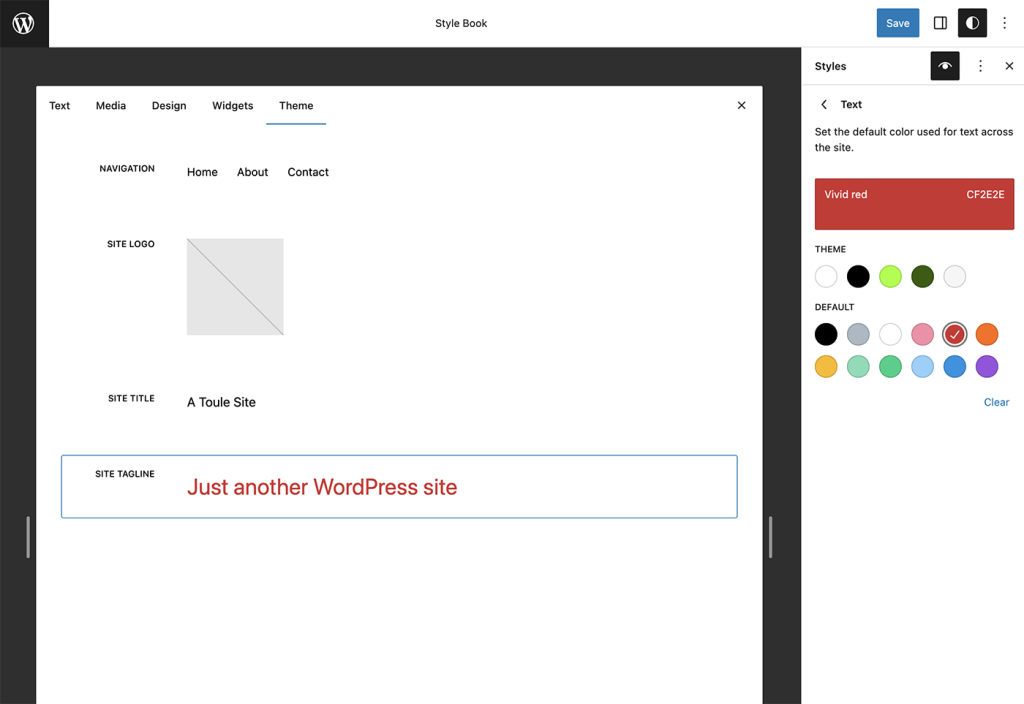
Be ready for the block model to feel less inspectable than it looks in marketing. Experienced builders report the same short list of frustrations: block boundaries are hard to see without hovering, the code editor fills with inline styles and JSON-like data, changing something as small as a block background color can leave escaped CSS variable names elsewhere, and selecting blocks lags while the canvas re-renders. The common responses are the old ones, a child theme plus custom CSS, or a move to a page builder. The WordPress developer blog’s February 2026 post lists per-block custom CSS among the changes arriving with WordPress 7.0, which takes some pressure off the second choice.
Page builders are a real option for marketing pages and a real dependency everywhere else. Support threads show builder features that cannot be fully switched off because no option or hook exists, plugin updates that add dashboard menu items nobody asked for, and a version bump breaking icons in the Customizer. None of that makes those products unreliable. It does mean your design work becomes coupled to that plugin’s release schedule.
Child theme rules that decide whether the safeguard holds
WordPress’s Theme Handbook describes a child theme as a way to modify an existing theme without directly editing that theme’s code, and walks through creating the folder, creating style.css, activating it, then loading the stylesheet and using functions.php. Two details do the actual work: the Template line in the child’s style.css header has to match the parent theme’s folder name exactly, and the parent stylesheet should be enqueued from functions.php rather than pulled in with @import.
The safeguard is also a failure source. Practitioners report improperly linked child themes and wrong wp-content permissions as recurring reasons customizations do not apply, alongside files uploaded to the wrong installation. If your child theme “does nothing”, check the parent folder name, the file paths, and whether the upload actually reached production before you rewrite any CSS.
Keep the copying minimal. Override one template, not the parent’s whole structure. Every duplicated file stops receiving the parent developer’s bug fixes and markup changes the moment you copy it. Prefer hooks and filters where the parent theme exposes them. For stores, WooCommerce’s developer docs cover overriding templates through a theme and keep a separate page on fixing outdated templates, which is the mechanism that tells you when a copied file has drifted behind the plugin.
Existing modifications first, child theme second. The sequence practitioners recommend is: document or back up what has already been changed, restore the original theme, create the child theme, then reapply the customizations inside it. Budget hours for this, not minutes. And do not do it live on a site taking orders. Staging that mirrors production is the one operational rule the community data agrees on without argument.
When the change does not appear, diagnose in this order
The same symptom has at least five causes, and they are not equally likely. Work down the list rather than guessing.
- Stale output, held somewhere you did not clear. This is the most frequently reported cause by a distance, and the mistake is rarely “forgot to clear the cache”. It is clearing only the browser while the old copy sits with the host, the CDN, or the builder’s generated CSS file. Publish again, purge browser, WordPress cache plugin, host and CDN, then regenerate CSS and JavaScript assets. Then confirm the page, domain, template and file you edited are the ones being served. Staging URLs and duplicated templates absorb a lot of wasted afternoons.
- The save never happened. A failed or blocked save looks exactly like a caching problem. Open the browser Network and Console tabs and watch the request when you press Update. A security rule at the host rejecting the request, or a rejected JSON payload, produces a silent non-change. Repeatedly pressing Update is the anti-pattern here.
- A plugin conflict, usually a builder or a customization plugin. Confirm a current backup, enable troubleshooting mode, disable plugins, test on a default theme, then reactivate one component at a time until the fault returns. Reactivating everything at once tells you nothing. Stacking
!importanton top of an unidentified conflict makes the eventual fix harder. The isolation process is written out in more detail in the guide to WordPress plugins that are not working. - Theme or plugin code that throws a fatal error. Here you get evidence: a stack trace naming a file and a line, such as a Customizer failure inside a theme’s own WooCommerce options file. Follow the trace to the component, then disable or update that component. Do not patch the named file reflexively, because it may simply be the last file accessed before a hosting-level failure. If the front end has gone blank, start with the recovery steps for a WordPress website white screen.
- Server configuration wearing a theme costume. PHP version, memory and execution limits, file permissions, firewall and ModSecurity rules, and settings like
allow_url_fopencannot be fixed inside the theme. Builder vendors send people to their host for exactly these checks. If you have isolated the fault to none of the above, escalate rather than keep editing CSS.
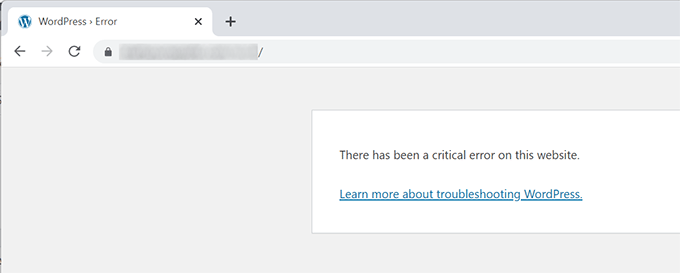
If the dashboard itself is unreachable after an update, rename wp-content/plugins in the host’s file manager to get back in, then restore the folder and deactivate plugins individually. Do not edit files in /wp-admin or /wp-includes, and do not patch core as a first response. Those changes are undone by the next core update and hide the real cause in the meantime.
What to check before you choose a theme
If the current theme cannot be customized far enough, the last row of the table above applies: a different theme. A demo shows you what a theme can look like. It does not show you what editing it will feel like six months after launch. Test these things instead.
- The editing model. A block theme gives you visual control over templates. A classic theme gives you whatever its panels expose. Try the theme’s editor before committing.
- The changes you will make most. Open the theme’s documentation and check that the header, footer, mobile menu, content width and archive layout can be edited without code.
- Your plugins. If you run WooCommerce, a form plugin or a builder, build a real product page or form on a staging copy. A polished demo does not prove compatibility.
- Maintenance. Look at the update history and the support channel. A plainer theme with clear templates is often cheaper to own than one packed with features.
Your site will also never look exactly like the demo, because the demo uses its own images and copy. Import starter content onto a fresh install or a staging copy, not a live site. Installation problems are covered in the guide to installing a theme without breaking it.
What theme customization should cost, and where the money goes
There is no defensible published price range, and anyone quoting one is quoting a forum comment. What community threads do agree on is the shape of the waste. Very cheap work returns in revision loops, sometimes five rounds of them. Expensive work may include strategy, responsive testing, integrations and project management that never appear on the invoice as line items. Price alone does not tell you which one you bought.
The workflow that reduces the risk on both sides: pay for an audit, write down the design changes you want with a mockup, then ask for a fixed price against that spec. Clear specifications cut iteration more than any hourly rate negotiation does.
Two purchase decisions deserve more scepticism than they get. A commercial theme that looks close to your design can still be expensive, because you end up paying a toll against its structure, CSS, templates and hooks on every change. And a theme generated by AI to save the cost of a licence is only a saving if you can personally read, debug and update the code through PHP and WordPress version changes. A theme can look finished while quietly accumulating technical debt.
What changes when you hand the work to an agent
The reason a small design change costs what it does is rarely the change. It is the coordination: describing it, finding someone, waiting for the queue, reviewing a staging link, deploying. Changing the button color on a services page should not need three people and a window.
Example request: “Our services page buttons are the old teal. Change them to brand navy #12224A everywhere they appear, and tighten the gap between the page heading and the first section on mobile.”
SiteSelf works on your existing WordPress site through chat. For that request it would find where the button color is actually defined, global styles, a theme setting, or a stylesheet rule, apply the change in that layer rather than pasting an override, say what is about to change and whether it can be undone before it acts, then fetch the changed page and report in plain language what it did and what it checked. The work is recorded. Content and settings work goes through the SiteSelf Connector plugin from the WordPress.org directory; touching theme files, CSS files or templates needs hosting access over SSH. That kind of WordPress design change through chat is the same category of task described above, just without the queue.
The honest limits matter as much. Verification today is a fetch of the changed page and a written report, not a screenshot and not a test on real devices, so a mobile spacing change still deserves your own look on a phone. Pages owned by a visual page builder such as Elementor, Divi or Beaver Builder are refused at the moment of work, with the reason given. Analytics and Search Console are not written to. Work happens on request, not on a schedule. Cost is credit-based, and the details sit on the pricing page.