Give your WordPress site its first task.
Connect the site you already have, add your agent to Slack or Telegram, and tell it what you need.
Connect your siteStart with 500 free credits. No credit card needed.
A WordPress maintenance package is a sales label wrapped around a documented routine: back up, test significant updates on staging, update, then check that the site still works. Plans differ in how much of that routine a person actually does, who pays when an update breaks something, and what they leave out. Read the scope line by line and ignore the plan name.
Take two WordPress sites, both described as “maintained”. On the first, a tool applies every plugin update automatically on the first of the month. On the second, someone backs up the site, runs the updates on a staging copy, submits the contact form, puts a product through checkout, and only then updates the live site. Both owners pay a monthly fee. Only the second owner knows the site works.
That gap is what this article is about. The phrase “maintenance package” covers both setups, plus everything in between, so price and plan names tell you almost nothing. What you need is the routine underneath and the questions that show how much of it a provider really does.
No. WordPress.org and WooCommerce don’t define a package. They describe a routine: make a current backup of files and database, test significant updates on a staging copy, apply the updates, then check that the important parts of the site still work. Everything sold as a maintenance plan, care plan or retainer is some version of that routine with other services attached.
The attached services are where plans differ. One plan might be automated updates and a weekly backup. Another adds uptime alerts, security scans, an hour of edits, hosting, staging tests and someone who answers the phone when checkout fails. Our broader piece on what website maintenance packages cover looks at the commercial side across platforms. This one stays with WordPress and the work itself.
Four steps, done in order, every time something significant changes. If a plan skips one, it is a cheaper plan, and you should know which step is missing.
Core, plugin and theme updates take up most of the hours in any package, and they cause most of the problems. A plugin update can fix a security hole and still break a form. A theme update can change a template your child theme overrides. WordPress’s own troubleshooting documentation names faulty or incompatible plugins and themes as the usual cause of fatal errors after an update.
How often to update is the one point practitioners argue about. WooCommerce’s update guide says a monthly cadence works well for most stores, with security fixes or broken functionality handled sooner. Many freelancers update weekly or every two weeks. Some wait a few days after a release to see whether problems turn up in the support forums. Every source agrees on the split: apply security patches promptly, and test routine updates before they reach the live site. Large batches of updates done together are harder to debug when one of them fails.
Themes follow the same mechanics with a few extra traps. Our guide to updating a WordPress theme safely covers those.
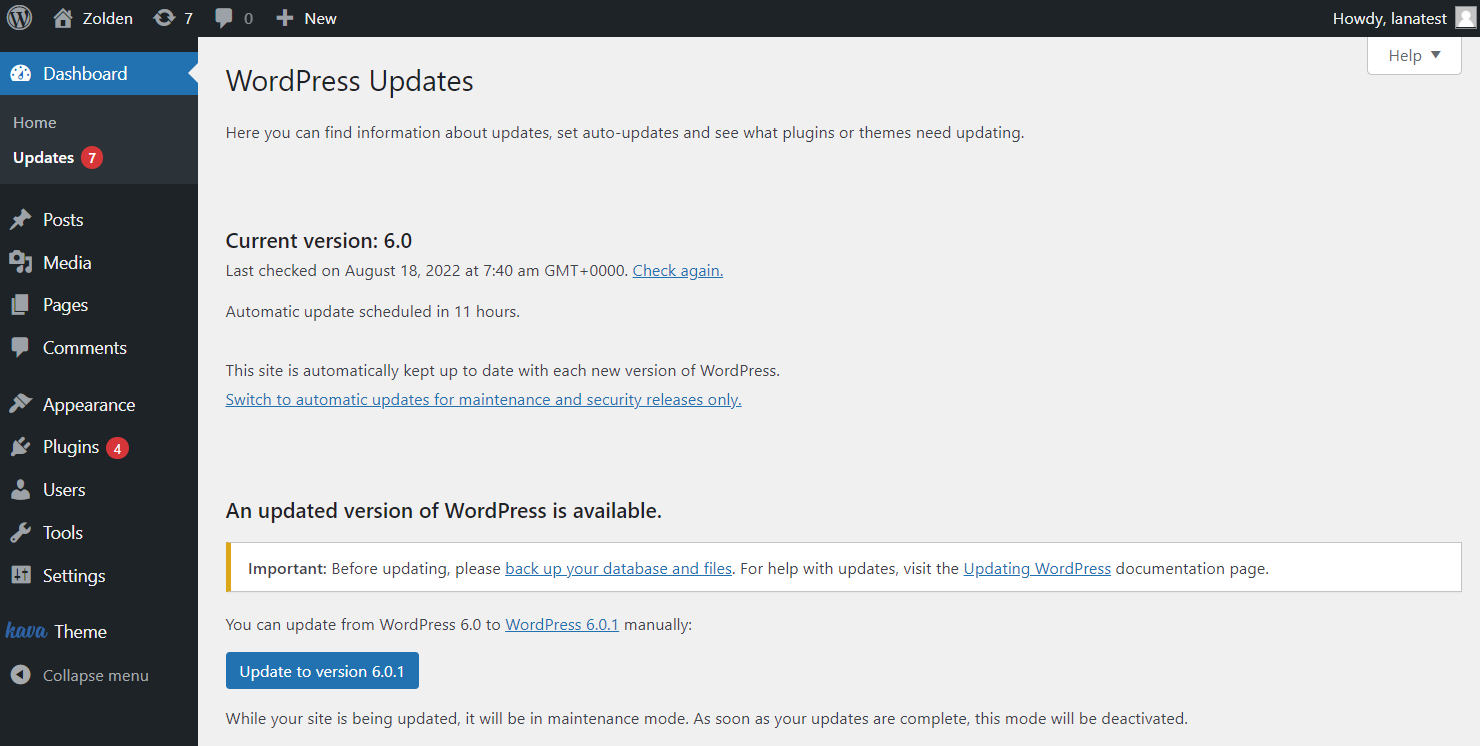
WordPress keeps your site in two places: the wp-content folder (themes, plugins, uploads) and the database (posts, pages, settings, and on a store, products and orders). A backup that covers only one of them is half a backup. WooCommerce’s backup documentation adds a common mistake: the WordPress XML export does not include the database tables for orders, products or WooCommerce settings, so it is not a backup of a store.
The WordPress Advanced Administration Handbook suggests weekly backups for smaller, low-activity sites and daily backups for busy ones, with 3 to 5 recent copies kept in different locations. Then comes the step most plans don’t mention: test a restore. A job that reports success proves a file was written. It does not prove you can get the site back. Our explainer on what a backup plugin misses goes through the usual gaps.
This is where cheap maintenance and good maintenance part ways. An update that ran, a backup that exists and an uptime check that returns “OK” all say something happened. None of them says the contact form still sends email.
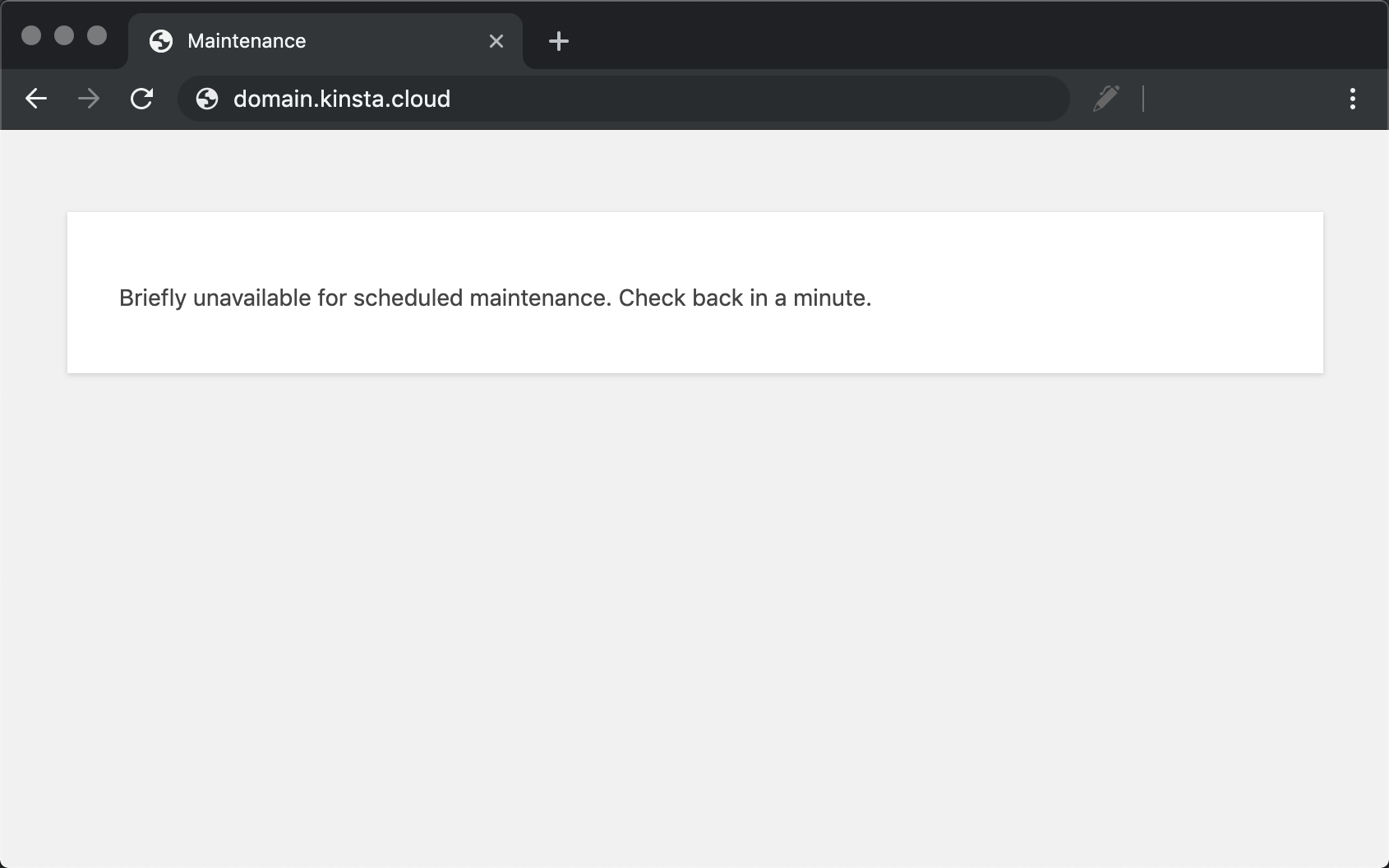
The stuck “Briefly unavailable for scheduled maintenance” message is a good example. WordPress creates a .maintenance file in the site root while it updates, and an interrupted update leaves the file behind. Deleting it removes the message. WordPress.org’s updating guide is clear that you then have to run the update again, because the plugin may be half old files and half new. Clearing the symptom is not the fix. Our guide to plugins that stop working after an update walks through the full recovery.
Verification means opening the pages that make money or bring in leads and using them. Do it as a logged-out visitor as well as an admin, because caching and permissions often hide problems from the person who made the change.
When a brochure site breaks, you lose a few enquiries. When a store breaks, you lose orders, and some of the fixes cause damage of their own. WooCommerce’s documentation asks for more than a generic plan usually provides:
Rollback is the part that catches people. WooCommerce warns that going back to an older version after the database schema changed can cause data inconsistencies, so a rollback needs a database backup that matches the version you return to. Restoring an older backup to a live store also wipes out every order placed since that backup. If you use WooCommerce Subscriptions, its restore guide lists the knock-on effects: missing renewal orders and wrong payment dates.
So a store package needs answers to three questions. Who tests checkout after an update, and how? What happens to orders that come in between the backup and the restore? Who handles database updates?

The technical work is well documented. The disputes come from scope. People in freelancer and agency forums give the same advice again and again: keep technical maintenance separate from content edits, development and SEO work, and never promise “unlimited” anything. The State of Enterprise WordPress 2024 survey found that 62% of organisations were charged extra for ongoing maintenance and updates rather than having them included in the initial fee. Bigger organisations misjudge this too.
| Line in the package | The question that shows real scope | The usual gap |
|---|---|---|
| Updates | Are significant updates tested on staging, and what gets checked afterward? | Budget plans often update the live site directly and check nothing beyond “the page loads”. |
| Broken update | If an update breaks the site, is the fix included or billed by the hour? | The plan covers applying updates, not repairing what they break. |
| Backups | Files and database? Stored where? When was the last test restore, and how long does a restore take? | Backups stored on the same server as the site, never restored. |
| Security | Is cleaning up a hacked site included, or only scanning? | Many providers sell malware removal as a separate one-time service. |
| Hosting | If the host and the maintainer disagree about the cause, who owns the problem? | The host looks after the server and won’t troubleshoot your plugins. |
| Edits | What counts as an edit, how many hours are included, and what is the rate after that? | “Small changes” with no definition, which ends in an argument or an invoice. |
| Reporting | Will you see which updates ran, what was checked and what is still unresolved? | An invoice is the only evidence any work happened. |
Two of these trip people up more than the others. First, hosting is not maintenance, even managed hosting. A good host may handle core updates and server backups, but a plugin conflict on your site is usually your problem or your developer’s. Second, monitoring is not cleanup. A scan that finds malware is the start of an incident, and a plan can include the alert without including the work that follows.
Providers have one rule of their own worth knowing: audit a site before taking it on. A five-year-old store with skipped upgrades and no original developer is a project, not a monthly plan. A provider who quotes it like a monthly plan will lose money on it or cut corners.
If your site is a few pages that rarely change, has no forms that matter and takes no payments, you can reasonably do the routine yourself. Keep full backups off the server, update every few weeks, and click through the site afterward. Guides that estimate the time put routine updates and backup checks at well under an hour a week on a simple site.
The case for paying gets stronger as two things grow: how much money flows through the site, and how many plugins sit between a visitor and that money. What a retainer really buys is someone already on the hook when something breaks. Quiet months are normal. The value shows up in the month an update takes checkout down.
Whichever way you go, take things away now and then. Plugin lists grow for years, and every plugin you remove is one less update to test.
Most maintenance requests are small: update these plugins, find out why the form stopped sending, change this setting back. The process around them is not small. Someone writes a ticket, someone else schedules it, the work happens days later, and the report says “done” without saying what was checked. SiteSelf is built for the request itself. You say what needs doing in chat, the agent does it on the live site, checks the result and reports what changed. This is what plugin updates handled through chat look like.
Example request: “Update the plugins on our store that have updates waiting, but leave WooCommerce itself until after the holiday sale. Tell me what each update changes before you run it, then check the shop page, a product page and the checkout page.”
What the agent would do: list the pending updates, read the changelogs and flag anything that touches payments, shipping or forms, tell you what is about to change and whether it can be undone, apply the updates, then fetch each page you named and report back in plain language. The work is recorded, so next month you can see what changed.
What it checks: it fetches the changed pages and confirms they load and show what they should. That is not a screenshot, a test order or a test on every device. For a store, still run a test purchase yourself after any update that touches checkout.
What access it needs: the SiteSelf Connector plugin from the WordPress.org directory for plugin and settings work. Hosting (SSH) access for anything in files or logs, such as tracing a fatal error after an update or clearing a leftover .maintenance file.
What it does not do: it works on request only, with nothing scheduled and no monitoring, so it won’t notice a broken site on its own or run next month’s updates unless you ask. It reads third-party systems like analytics at most and writes nothing to them. Pages owned by Elementor, Divi or Beaver Builder are refused at the moment of work, with the reason. There is no approval queue before publishing, so the boundary is in what you ask for and in the agent saying what it will change before it does.
Usually yes, at least for plugins and themes. Managed hosts look after the server and often handle core updates and backups, but most won’t troubleshoot a conflict between plugins you installed. Ask your host exactly where its responsibility ends.
No. A maintenance mode plugin shows visitors a holding page while you work on the site. It doesn’t update, back up or fix anything. The shared word confuses many owners searching for help.
Often not. Many providers include scanning and alerts in the monthly fee and sell malware removal as a separate one-time service. Get the answer in writing before you need it.
Apply security releases promptly. For routine updates, WooCommerce suggests about monthly for stores, and many freelancers update weekly or every two weeks. Whatever the schedule, back up first and test anything significant before it reaches the live site.
Because the scope varies. A plan that runs automated updates is a different product from one that tests on staging, repairs what breaks and responds within the hour. Compare deliverables line by line. If you are weighing SiteSelf’s credit-based model, the pricing page explains how credits work.
Yes. The routine is documented and the tools are free or cheap. The hard part is the occasional failure that takes hours to diagnose. Decide in advance who you would call when that happens.
Explainers
A website maintenance package is a label. Nobody defines it, and the same name covers anything from automated updates to a developer who tests every change. What you’re paying for is the process behind the updates, the backups and the security work, plus a clear answer to who fixes things when they break.
Read article ›Explainers
WordPress suits most business websites as long as someone owns the upkeep. The software is free, but the build, hosting, plugins and maintenance cost money. Most WordPress horror stories come from plugin sprawl, untested updates and nobody being in charge, not from WordPress itself.
Read article ›Explainers
There is no single WordPress theme updater. Your theme updates through the built-in dashboard updater, a ZIP replacement or a vendor’s license channel, and each one fails in its own way. The error message usually tells you which cause you have, and the green success message doesn’t tell you whether the site still works.
Read article ›Connect the site you already have, add your agent to Slack or Telegram, and tell it what you need.
Connect your siteStart with 500 free credits. No credit card needed.