Give your WordPress site its first task.
Connect the site you already have, add your agent to Slack or Telegram, and tell it what you need.
Connect your siteStart with 500 free credits. No credit card needed.
A website maintenance package is a label. Nobody defines it, and the same name covers anything from automated updates to a developer who tests every change. What you’re paying for is the process behind the updates, the backups and the security work, plus a clear answer to who fixes things when they break.
Two quotes for “WordPress maintenance” can differ by a factor of ten, and both can be honest. Codeable and Pantheon each put the range at $30 to more than $5,000 a month. The word covers everything from a plugin that runs updates overnight to a developer who tests every change on a copy of your site and answers the phone when checkout stops working.
So the useful question isn’t what a package costs. It’s what work happens, how it gets checked, and who is responsible when something breaks. Get those three answers and you can compare any two quotes.
No official definition of a maintenance package exists. WordPress.org’s site maintenance documentation lists tasks: update WordPress, check for dead links, delete spam, back up the site, keep a maintenance calendar. It never defines a product. Providers then mix those tasks with hosting, plugin licences, edit time, testing and incident response in whatever combination suits them.
That’s why “care plan”, “maintenance plan” and “retainer” mean roughly the same thing, and why plans with the same name cost wildly different amounts. A WordPress site needs upkeep whoever does it. Our look at WordPress for business websites covers why that cost often goes unbudgeted at launch. The package is just one way of buying that upkeep.
Most packages list the same five or six items. Each one has a cheap version and a version that actually protects you, and the proposal rarely says which you’re getting.
| Line item | Minimal version | Version that protects you |
|---|---|---|
| Updates | Auto-updates run blind on a schedule | Backup first, staging for risky updates, a fixed order, key pages and forms tested afterwards |
| Backups | A nightly job on the same server | Database and files, stored off-site, with restores actually tested |
| Security | A scanner that sends alerts | Scanning plus cleanup included, entry point closed, credentials rotated |
| Uptime monitoring | A ping that confirms the homepage loads | Checks on the things that make money: forms, checkout, logins |
| Reports | A list of plugins updated | What changed, what was checked, what failed, what is still open |
| Edits and support | “Unlimited minor edits” | A stated allowance, a definition of “minor”, an hourly rate for the rest |
Read a proposal against the right-hand column. “Updates included” tells you nothing. “Updates tested on agreed pages, with a backup point and a change record” tells you what you’re buying.
Updates are the core routine task, and they’re also the usual reason a site breaks. Plugins, themes, core and PHP change all the time, and a mismatch shows up as a white screen or “There has been a critical error on this website.” WordPress’s Advanced Administration Handbook lists plugin compatibility problems as a cause of exactly that. WooCommerce’s self-service guide names outdated software and plugin or theme conflicts among the common causes of store problems.
The process that works is the same across WordPress’s docs, WooCommerce’s docs and practitioners who run dozens of sites:
When a step fails, the cause is usually a single plugin. Our guide to fixing plugins that stop working walks through isolating it.
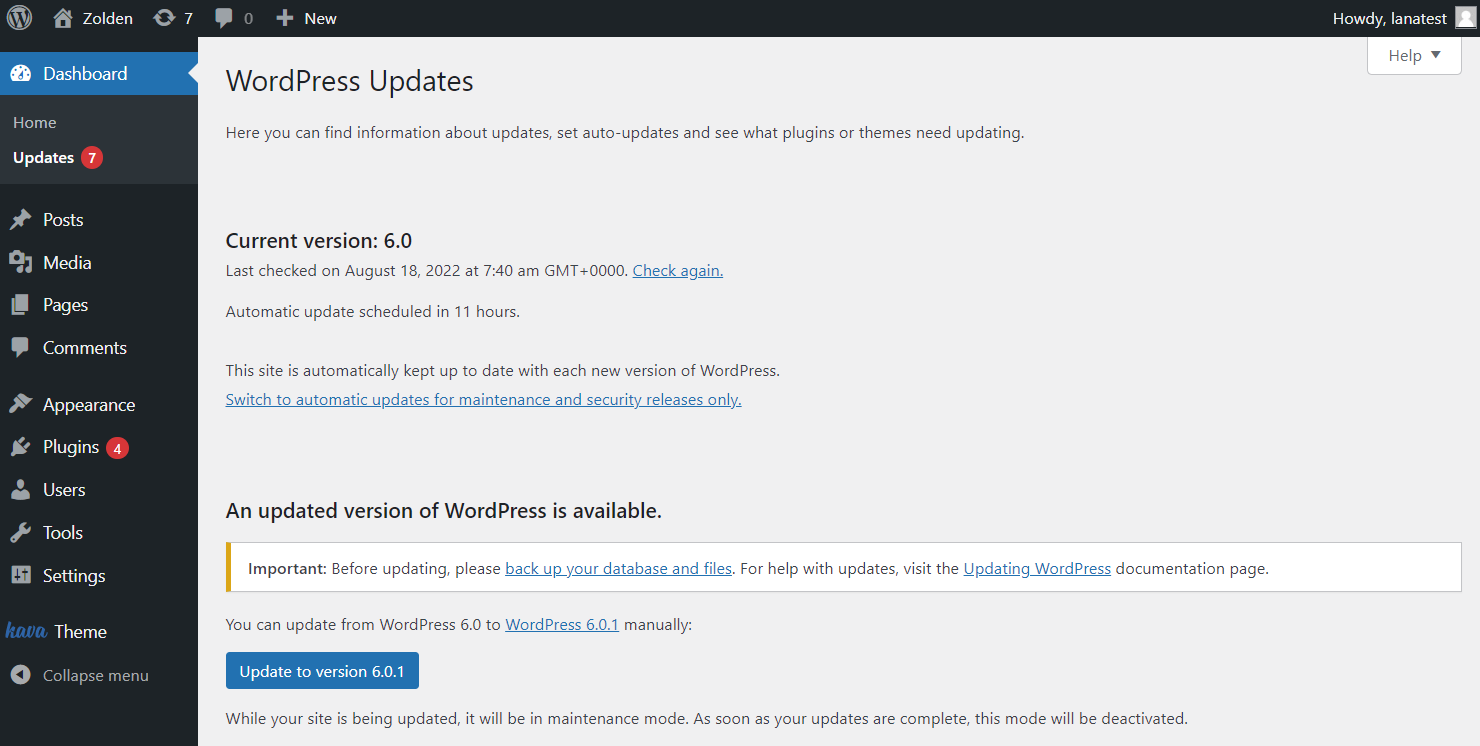
Two misunderstandings cause most of the damage here. First, auto-updates aren’t a maintenance plan. Kinsta’s documentation says its automatic updates take a backup beforehand and may restore it after detecting a change, and that this rollback can lose changes made during the update window. On a store, those changes are orders. Automation helps, but someone still has to notice what it did.
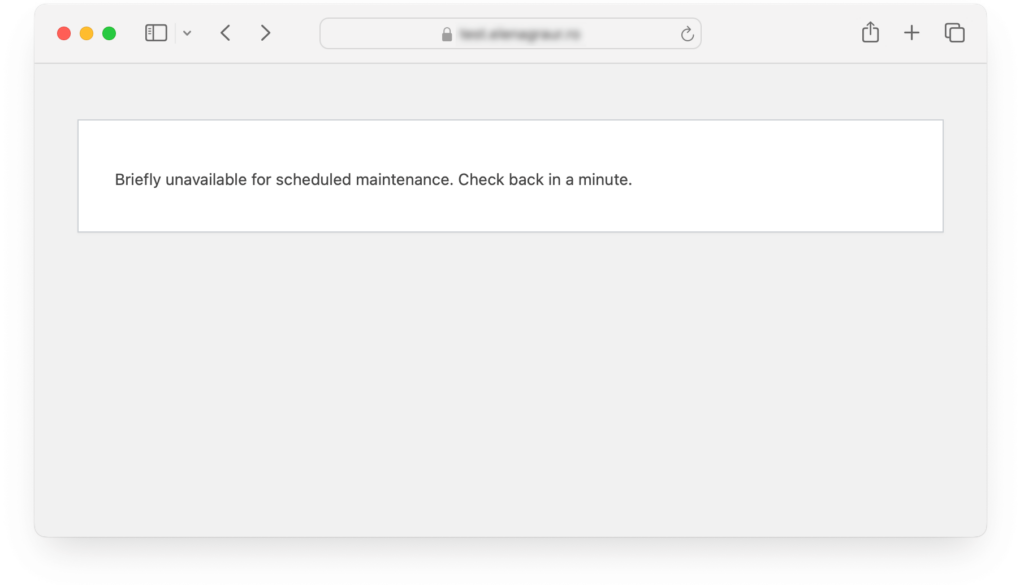
Second, removing the maintenance message doesn’t mean the update worked. When an update is interrupted, WordPress can leave a .maintenance file in the site root, and every visitor sees “Briefly unavailable for scheduled maintenance. Please check back in a minute.” The handbook’s fix is to delete that file over FTP. But the plugin or core files may still be half-updated afterwards, so confirm the update finished or run it again.
WooCommerce’s guide to updating says a monthly cadence suits most stores, with security fixes or broken functionality handled sooner. Its procedure asks for more than a brochure site needs:
If a store is on a package that just presses “update all”, the package isn’t doing the store’s job.

A backup job that reports success proves that a file was written. It doesn’t prove you can get the site back. WordPress.org recommends keeping a backup on the hosted site and a separate copy elsewhere, because a backup on the same server goes down with the server or the hosting account.
There are four failures to ask about:
Our explainer on what a backup plugin covers goes through where each popular approach falls short.
Pantheon’s guide to maintenance plans says lower-cost plans often scan or alert and bill cleanup separately. You find out which kind you have on the day of a hack, at emergency rates.
A real cleanup is a short incident response job. Ben Ryan, who sells WordPress maintenance, lays it out in eight steps: isolate, back up, scan, clean the files, clean the database, rotate every credential, update everything, then verify and harden. He notes that most do-it-yourself cleanups find the malware but skip the last three steps, and the site gets reinfected within days. Our guide to malware removal that does not come back covers that sequence.
The question to put to a provider is simple: is cleanup included, or does it count as emergency work at an hourly rate?
Good managed hosts handle the server, often core updates and backups, and sometimes automatic plugin updates. Pantheon draws the line clearly: plugin conflicts, application testing, edits and break/fix work usually fall outside hosting. Those stay with you or with whoever maintains the site.
For a simple brochure site with few plugins, good hosting plus a monthly check of your own may be enough. Once the site has integrations, custom code or a checkout, someone has to own the application layer.
No representative pricing survey exists for small businesses, so any “average” you read is a vendor’s estimate. WP Umbrella, which sells maintenance tooling, puts productized care plans at $50 to $150 per site per month, and premium or developer-led service at $240 to $1,000 or more. Those are bands, not benchmarks.
Three things move a fair price more than the plan’s name:
The same MainWP survey found three tiers to be the most common structure. It had only about 64 responses, so treat that as a pattern among providers, not a rule.
Ask for answers in writing. Better still, ask for a sample monthly report.
Treat “zero downtime”, “fully managed” and “unlimited” as red flags unless the proposal says what work sits behind them. The same goes for any plan that updates a store with no staging.
Most of what a package sells is small, repeatable work. The process around that work is where the cost goes: a ticket, a wait, someone reading the request, a report you can’t quite follow. Updating three plugins on a contact-form site shouldn’t need a support queue and a monthly invoice line you can’t verify.
SiteSelf takes a different approach. You tell the agent what you need in chat, it does the work on the live site, checks the result, and reports what changed. Here is what an update request looks like.
Example request: “Run the pending plugin updates on the shop. Do the payment gateway on its own, after the others. Tell me if WooCommerce wants a database update, and tell me what you changed and what you checked on the shop and checkout pages.”
The agent lists what’s out of date and reads the changelogs for anything that looks like a major release. Before it changes anything, it says what it’s about to change and whether that can be undone. It applies the updates in the order you asked for, reports whether the WooCommerce database update is pending, then fetches the shop, cart and checkout pages and tells you in plain language what it found. What it did is recorded. Our page on WordPress plugin updates handled in chat covers this work in more detail.
Access matters. Content and settings work goes through the SiteSelf Connector plugin from the WordPress.org directory. Updating plugin files and fixing anything that breaks needs hosting (SSH) access.
There are also limits:
That makes it a different trade from a package. You give up a provider who watches the calendar for you. In return, each change is done when you ask, explained before it happens and reported after. Pricing is credit-based, and the details are on the pricing page.
Not in any consistent way. Providers use “care plan”, “maintenance plan” and “retainer” for the same kind of recurring arrangement. Compare the listed tasks, not the name.
Yes, especially a simple one. WP Umbrella estimates a manual update session at 15 to 30 minutes per site, once or twice a month. The routine part isn’t the hard part. The hard parts are tracking down a plugin conflict, restoring safely and cleaning up after a hack, and those are the moments when a package or a specialist pays for itself.
Not for a site that makes money. Automatic updates don’t test your forms or checkout, and rollbacks can lose data. Kinsta’s docs say its rollback can lose changes made during the update window. If you rely on auto-updates, someone still needs to check the site afterwards.
Usually small text and image swaps. Pantheon notes that new pages, content writing and functionality changes are typically excluded. Ask for the per-request limit and the hourly rate for anything bigger, in writing.
It depends on the contract, and many contracts don’t say. Pantheon flags that some plans bill troubleshooting of update-caused problems separately. Settle it before you sign, along with whether that repair counts against your support hours.
WooCommerce suggests checking monthly for most stores, and acting sooner for security fixes or broken functionality. Practitioners range from daily to monthly. The common ground is to apply security patches quickly and test major feature releases on staging first.
Explainers
WordPress suits most business websites as long as someone owns the upkeep. The software is free, but the build, hosting, plugins and maintenance cost money. Most WordPress horror stories come from plugin sprawl, untested updates and nobody being in charge, not from WordPress itself.
Read article ›Explainers
There is no single WordPress theme updater. Your theme updates through the built-in dashboard updater, a ZIP replacement or a vendor’s license channel, and each one fails in its own way. The error message usually tells you which cause you have, and the green success message doesn’t tell you whether the site still works.
Read article ›Explainers
A WordPress case study tells you how one problem was fixed on one site at one moment. It doesn’t tell you what is wrong with your site. Before you borrow its fix, check the date, the versions and the cause it names, and don’t take one story as a sign of how common a problem is.
Read article ›Connect the site you already have, add your agent to Slack or Telegram, and tell it what you need.
Connect your siteStart with 500 free credits. No credit card needed.