Key takeaways
- Google’s documentation handles 410 like every other 4xx code except 429. Indexed URLs drop out over time, and 410 gets no faster schedule.
- WordPress answers a deleted post’s old URL with 404. To send a 410 you need a plugin such as wp-410, a redirect rule set to 410, a server rule or a status_header(410) call.
- Use 410 only for content you removed on purpose that has no replacement. Content that moved gets a 301 to the matching page, never a redirect to the homepage.
- The page you see is not the status code. Search Console groups 410s under ‘Not found (404)’, so check with curl -I, the browser’s Network tab or URL Inspection.
- An unexpected 410 comes from one layer: a redirect rule, custom code, .htaccess, a cache, the host, or a planned removal upstream such as the old WooCommerce MCP endpoint that 11.3 removes.
Most error codes report a failure. A 410 is usually a decision. It tells browsers and crawlers that a URL used to exist, that its content was removed on purpose, and that it is not coming back. RFC 9110, the HTTP standard, defines 410 Gone as a resource that is “no longer available at the origin server” when “this condition is likely to be permanent.”
The same three digits show up in two very different situations. Either you retired a page and want to say so clearly, or some part of the site is answering “gone” for a page that should work. This article covers both cases.
How is 410 different from a 404 or a 301 redirect?
All three describe what happened to a URL, and each tells a different story. A 404 says the server found nothing at the address and makes no claim about what used to be there. A 410 says something was there and was removed deliberately. A 301 says the content moved and gives the new address.
| Status | What it says | Use it for | WordPress does this by default? |
|---|---|---|---|
| 410 Gone | Removed on purpose, not coming back | An expired one-off offer, a discontinued product with no successor, a former staff profile | No |
| 404 Not Found | Nothing here, no claim about permanence | Typos, deleted content, anything you are still investigating | Yes, for deleted posts and pages |
| 301 Moved Permanently | The content lives at a new URL | Renamed pages, merged articles, a product with a true replacement | Only for some slug changes |
A 410 is not a redirect. It sends the visitor nowhere. If a page meets the same need, a 410 leaves that visitor stranded, and a 301 to the matching page is the right answer. Our explainer on how a 301 redirect affects SEO covers how to map old URLs to new ones. The opposite mistake is redirecting every retired URL to the homepage. Practitioners warn that Google reads those catch-all redirects as soft 404s, and the visitor still doesn’t find what they came for.
Does a 410 remove pages from Google faster than a 404?
Google’s documentation says no. Its page on how HTTP status codes affect Google’s crawlers handles all 4xx codes the same way, except 429 (too many requests). Google doesn’t index the URL, and it removes previously indexed URLs over time. The documentation gives 410 no special timing.
SEO blogs and forum answers still repeat that 410 is a “stronger signal” that gets pages dropped faster. No current Google guidance supports that, and nobody in the forums has shown measurements. What 410 does change is the meaning. Cloudflare’s documentation on error 410 adds that a server “is not obligated to use this status code instead of a 404 response, nor is it required to maintain this response for any specific period of time.”
So don’t switch working 404s to 410 for SEO reasons. Use 410 when you know a page is retired and want the site to say so. That record also helps the next person who edits the site, because a deliberate 410 tells them there is nothing to repair.
WordPress returns 404 for deleted pages, not 410
When you delete a post or page, WordPress answers its old URL with a 404. Nothing in core switches that to 410. You need to add one of these four things.
A dedicated 410 plugin
The HTTP 410 (Gone) responses plugin (wp-410) records a post or page’s URL when you delete it and returns 410 for that URL from then on. You can also add URLs by hand. Its documentation notes that the plugin has been tested with W3 Total Cache and WP Super Cache. Other caching setups may serve a 404 instead of the 410 until you configure them. The plugin’s custom 410.php template changes how the page looks, not the status code.
Ultimate 410 Gone Status Code adds CSV bulk upload, regex entries and a 410 option when you delete posts, pages, categories and tags. Its directory listing now warns that it hasn’t been tested with the latest three major WordPress releases. Weigh that before you install it on a current site.
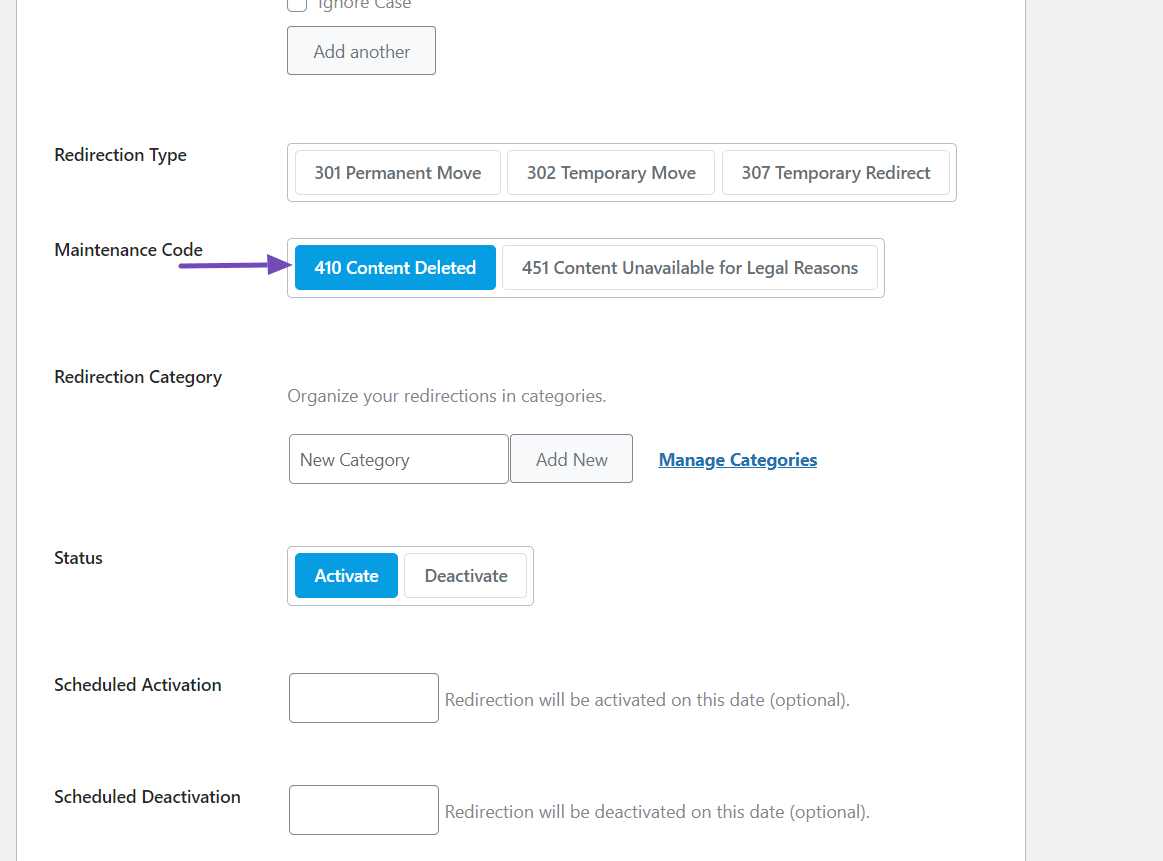
A redirect manager set to 410
Redirect managers such as Rank Math’s Redirections module let you choose 410 as the rule type instead of a redirect. This is the easiest route if you already use one of them, and also where most of the confusing behavior in support threads comes from (more below).
A server rule
On Apache, a line in .htaccess returns 410 before WordPress loads. Put it above the # BEGIN WordPress block, because WordPress’s rewrite rules can otherwise catch the request first and answer it with a 404:
Redirect gone /spring-sale-2024/

# or, with mod_rewrite
RewriteRule ^spring-sale-2024/?$ - [G,L]
On nginx, the equivalent goes in the server block:
location = /spring-sale-2024/ { return 410; }Our guide to htaccess redirects in WordPress covers rule order and how to tell which web server your host runs.
A few lines of PHP
For developers, a snippet in a code-snippets plugin or an mu-plugin keeps the list in WordPress:
add_action( 'template_redirect', function () {
    $gone = array( '/spring-sale-2024/', '/team/former-editor/' );
    $path = trailingslashit( wp_parse_url( $_SERVER['REQUEST_URI'], PHP_URL_PATH ) );
    if ( in_array( $path, $gone, true ) ) {
        wp_die( 'This page has been removed.', 'Gone', array( 'response' => 410 ) );
    }
}, 1 );
The priority of 1 matters. WordPress’s canonical redirect also runs on template_redirect, at the default priority of 10. If it runs first, it can redirect the request before your 410 is ever sent. Don’t paste this into a theme’s functions.php on a live site. One syntax error there takes the whole site down.
Whichever method you pick, avoid broad rules. A regex like /products/.*, or a snippet that turns every 404 into a 410, also marks mistyped, temporarily missing and still-live URLs as permanently gone. Work from a reviewed list of exact URLs. If you’d rather send that list than work through it yourself, SiteSelf handles redirects and SEO plugin settings through chat, fetches each URL afterwards to check what it returns, and needs hosting (SSH) access only when the rule belongs in .htaccess.
Which URLs should return 410?
A URL should return 410 when three things are true. You removed the content deliberately, no other page meets the same need, and you don’t plan to reuse that address. If any of the three is uncertain, leave the 404 while you find out.
- An expired one-off promotion. The offer won’t return and nothing replaces it: 410.
- A discontinued product. No successor: 410. A newer model that meets the same need: 301 to it.
- A former contributor’s profile with no archive worth keeping: 410.
- A seasonal page that comes back every year: keep it live with an out-of-season message. A 410 is the wrong signal for an address you plan to reuse.
- Spam pages injected by a hack: 410, but only after the site is clean.
The hacked-site case is where 410 does the most work, and it is also where the order matters most. Remove the infection and the attacker’s way back in first, or the spam pages come back. Then return 410 for the confirmed spam URL patterns, take them out of the sitemap, and check the live response. Don’t block them in robots.txt instead. A Disallow rule stops Google from recrawling those URLs, so Google never sees that they are gone. Our guide to malware removal that doesn’t come back covers the cleanup itself.
Once a URL returns 410, stop advertising it. Remove it from XML sitemaps, menus, related-post blocks and links inside other posts. Give the error page a clear message and one useful next step, such as search or the closest category. The same template work as a custom 404 page in WordPress applies here.
How to check what a URL really returns
Check the HTTP status, not the page. The page you see in the browser often doesn’t match the code the server sent. In one Rank Math support thread, a site owner set several URLs to 410, then opened one in a browser and saw “page cannot be found (404)”. In another, a user reported that the 410 rule seemed to be ignored and WordPress showed its regular 404. Three things produce that mismatch:
- WordPress can send a 410 status while rendering its normal 404 template. The code is right and only the page text is misleading.
- A cache, or WordPress’s own rewrite or canonical handling, really is sending a 404 or a redirect.
- Search Console groups 410 URLs under its “Not found (404)” report, so that label doesn’t prove the server sent a 404.
Three ways to see the real status:
- From a terminal:
curl -sI https://example.com/spring-sale-2024/. The first line should readHTTP/2 410orHTTP/1.1 410 Gone. Test the URL with and without the trailing slash. - In the browser: open developer tools, go to the Network tab, tick “Disable cache” and reload. The Status column shows the code.
- Google’s view: run the URL through URL Inspection in Search Console and look at the live test result.
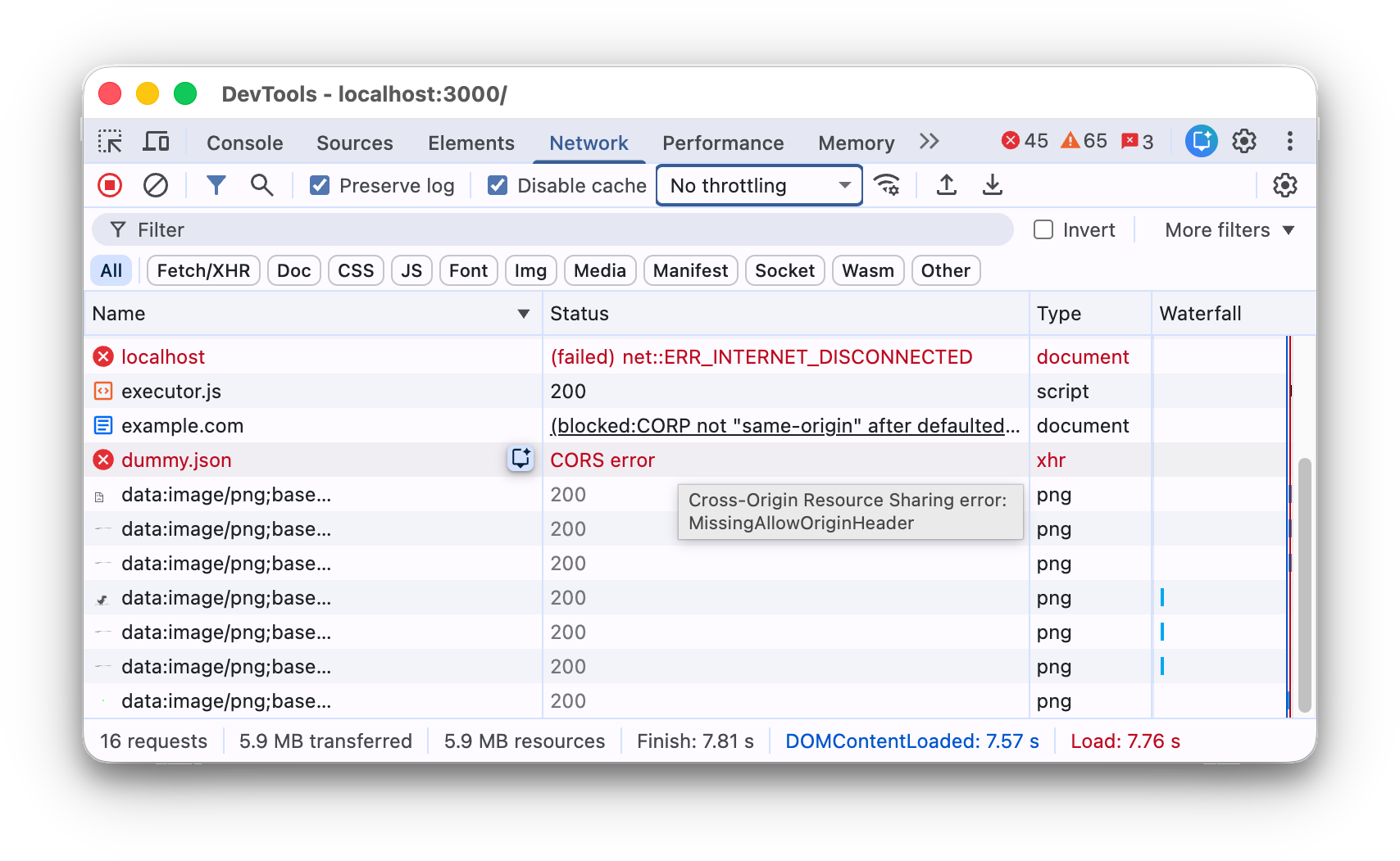
If the site sits behind a CDN, compare the public URL with what the origin server returns. A mismatch means the cache layer is the problem, not WordPress.
Why is a page returning 410 when it shouldn’t?
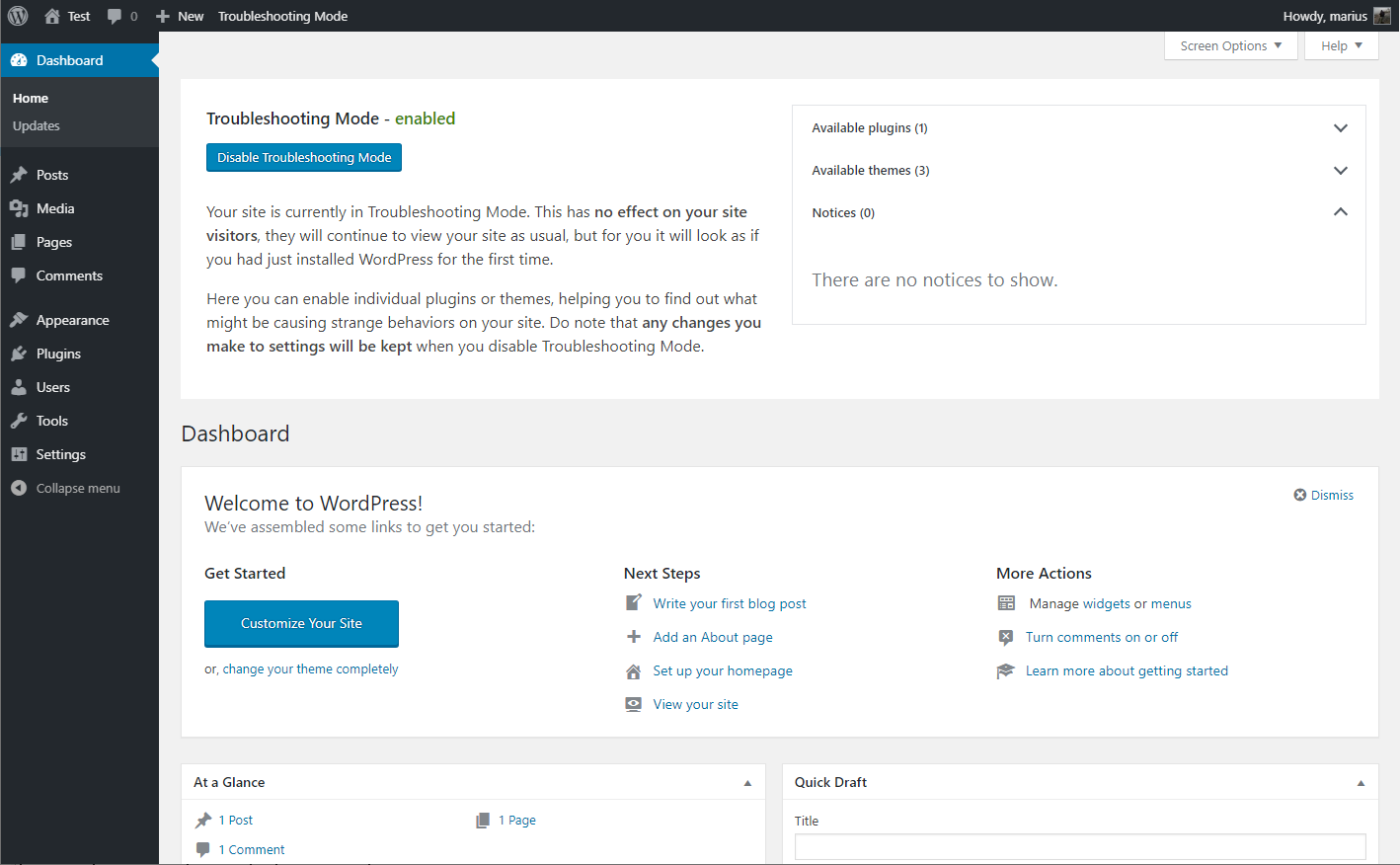
Something added a rule, and the job is to find out which layer did it. Support threads point at the causes below, listed roughly from most to least often reported. That ranking is a judgment from those threads, not a measurement. Before you deactivate anything on a live site, use Health Check’s troubleshooting mode. It turns plugins off and switches the theme for your logged-in session only, so visitors see the normal site while you test. It won’t reveal causes at the server, CDN or host level.
1. A redirect or SEO plugin rule
Check every 410 entry, wildcard and regex rule in your redirect manager, plus any “mark as gone” or trash settings. These plugins also cause the strangest failures. In one Rank Math thread, someone replacing old posts with 410s got a redirect loop instead: Firefox showed “The page isn’t redirecting properly” and Chrome showed ERR_TOO_MANY_REDIRECTS. Deactivating the module stopped the loop but also removed the 410 they wanted. That is a diagnostic step, not a fix. Look for a second rule or the canonical redirect fighting the 410.
2. Custom code
Search the theme, mu-plugins and any snippets plugin for status_header( 410 ), 'response' => 410 or just “410”. With SSH access, grep -rn "410" wp-content/mu-plugins wp-content/themes finds most of them.
3. Server configuration
Look in .htaccess, the nginx config and your host’s redirect panel for Redirect gone, [G] flags or return 410. Compare what you find against recent changes. A rule added during a migration or cleanup is the usual suspect.
4. A cache or CDN serving an old answer
If you restored a page and it still says 410, a cache kept the old response. RFC 9110 lets caches store 410 responses even when no expiry is set, so purge the page cache, the host cache and the CDN, then check with curl again. Cloudflare’s documentation says it passes on 410 responses from your origin server and doesn’t generate them for customer sites. So a 410 seen through Cloudflare still needs investigating at your host.
5. The host or a third-party service
Some hosts restrict files such as xmlrpc.php or block certain requests outright, and the 410 never touches WordPress. External services do it too. A favicon or font API that returns 410 to a plugin is reporting its own change, not a fault on your site.
6. A planned removal upstream
Some 410s are announced changes, and the fix is to migrate. WooCommerce 11.3 removes the /wp-json/woocommerce/mcp endpoint, so an MCP client that still calls it with a WooCommerce REST API key gets a 410. WooCommerce’s developer blog says to connect through the WordPress MCP Adapter plugin with a WordPress application password instead. In a WordPress.org support thread, core contributor Weston Ruter wrote that WordPress 7.2 removes script and style concatenation, along with wp-admin/load-scripts.php and wp-admin/load-styles.php, which will respond with 410. A plugin that still requests those files will show failed requests on admin screens until its developer updates it.
When to stop and get help
Hand it to your host or a developer when:
- The origin server returns 410 and you can’t find a rule anywhere. Your host can read the access and error logs.
- Every post or the whole site returns 410.
- Spam URLs keep coming back after you added 410s, which means the infection is still there.
- The next step is rewriting .htaccess on a live store without a backup.
Our guide to fixing WordPress issues without guessing covers the wider method.