Give your WordPress site its first task.
Connect the site you already have, add your agent to Slack or Telegram, and tell it what you need.
Connect your siteStart with 500 free credits. No credit card needed.
Most WordPress security issues start in plugins, weak logins and neglected maintenance, not in WordPress core. Before you treat an error as a hack, rule out an ordinary bug. If it is a hack, the fix is a full recovery, because removing the files you can see usually leads to the site being reinfected.
WordPress core is rarely what gets a site hacked. Patchstack’s 2025 security report counted 7,966 new vulnerabilities across the WordPress ecosystem in 2024. Of those, 96% were in plugins, 4% were in themes and 7 were in core. The count keeps rising: Patchstack’s 2026 report puts 2025 at 11,334.
That changes where to look. The weak point is the unmaintained site: the plugin nobody updated, the old contractor who still has an admin login, and the backup nobody ever tested. This guide ranks the causes, gives the fix for each, and covers the part most people get wrong, which is recovery.
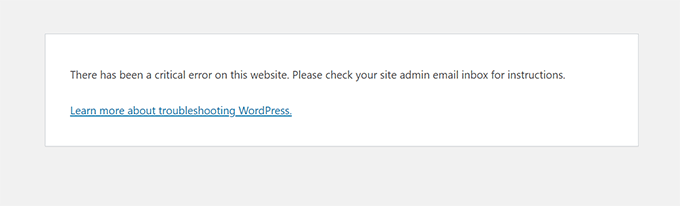
Rule out an ordinary bug first. The scary errors people read as “hacked” usually have ordinary causes. WordPress’s common-errors handbook explains that the message “There has been a critical error on this website” usually comes from a plugin conflict, a theme compatibility problem, the PHP version, a memory limit or corrupted files. For “Error establishing a database connection”, the handbook says to check the configuration and the host before you suspect a compromise.
So check the boring things before you pay anyone for malware removal. Read the email WordPress sends to the admin address, open wp-content/debug.log, and think about what changed recently. Our guides to fixing a WordPress fatal error and fixing a server error 500 go through that diagnosis step by step. If the cause is a broken plugin or setting and you would rather not do this yourself, SiteSelf takes WordPress troubleshooting and repairs on request through chat: the connector plugin is enough for settings work, and file-level fixes need hosting access.
The signs below point to an actual compromise, and a bug does not explain them:
index.php or .htaccess that you did not make.Extensions are where nearly all disclosed vulnerabilities sit, and attackers move fast. Patchstack’s 2026 report found a 5-hour weighted median time to first exploit for the heavily exploited vulnerabilities of 2025. About half of the high-impact ones were exploited within 24 hours. Updating once a month leaves weeks of exposure after a patch ships.
The fix:
If a vulnerability is public and no patch exists yet, turn off the affected feature if the business can do without it for a while. If it can’t, such as checkout or a booking form, ask your host whether a firewall rule can block the exploit until the vendor ships a fix. A firewall rule buys time. It does not replace the update.
Brute force is simple: a script tries username and password pairs until one works. WordPress’s brute-force handbook recommends strong unique passwords, two-factor authentication, passkeys and limits on login attempts. Practitioners prefer an authenticator app to SMS for the second factor.
Then go to Users and filter by Administrator. Every person should have their own account with the lowest role that still lets them do their job. Delete or downgrade accounts for former staff, agencies and freelancers. The hardening handbook calls security through obscurity an unsound primary strategy. Renaming the login URL is a small extra measure. It is no substitute for 2FA.
WordPress’s hardening handbook gives 755 for directories and 644 for files as “one possible scheme”. It suggests wp-config.php be readable only by its owner and the web server, often 400 or 440. Requirements vary by host, so confirm with yours before you change anything. Never set folders to 777 to get rid of a permissions error. That opens a hole and leaves the ownership problem unfixed.
The server matters too. Your host controls the PHP version, and updating WordPress does nothing for an unpatched PHP. On shared hosting, one infected site can reach the other sites in the same account. Server-side controls such as firewalls and headers are covered in our guide to Apache web server security.
Without HTTPS, login details travel unencrypted. Install a valid certificate first. Once HTTPS works across the whole site, WordPress’s HTTPS handbook describes adding define( 'FORCE_SSL_ADMIN', true ); to wp-config.php, which forces logins and the admin area onto HTTPS. WooCommerce strongly recommends HTTPS for stores, even when payments are processed off-site.
A wave of small failed orders is usually card testing, not a hacked site. WooCommerce’s security FAQ describes it as fraudsters running repeated low-value transactions to check whether stolen cards work. The fixes it suggests are CAPTCHA or anti-fraud tools, refunding the fraudulent orders, reviewing guest checkout and working with your payment provider. Store owners report that blocking IP addresses rarely works, because the addresses change every time.
The most common recovery failure is reinfection. Attackers leave ways back in. Sucuri’s 2023 threat report found backdoors on 49.21% of the compromised sites it cleaned, and malicious admin users in 55.2% of infected databases. Those figures describe what attackers left behind, not how they got in. They also explain a story that repeats on the WordPress.org forums: restore a backup, pass a scan, get hacked again a few weeks later.
WordPress’s “My site was hacked” FAQ and Google’s Search Console help add up to this sequence:
wp-config.php to end every active session, and change the passwords again once cleanup is finished.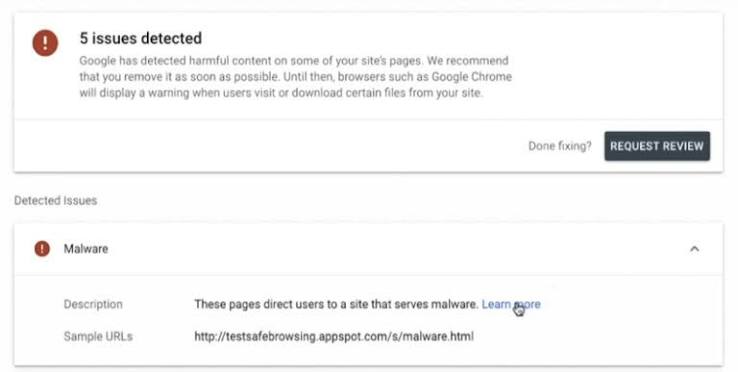
Restore from a backup only if you know it predates the infection, and only after the entry point is closed. Otherwise you have reinstalled the same hole. Our guide to malware removal that does not come back covers the file and database checks in detail.
Security fixes break sites too. Updates can conflict with a theme or with each other, and owners who have been burned delay the next update, which widens the exposure window. Scanner “repair” options restore the repository copy of a modified file, which also wipes legitimate customizations. Copy the file before you accept a repair. Blanket permission changes can leave WordPress unable to write uploads or run updates.
A security plugin is a useful layer if you configure it with care. It does not do your updates for you, and a clean scan does not prove the site is clean.
Hand the job to someone experienced if the site keeps getting reinfected after cleanup, if a store’s customer data may be exposed, or if several sites in one hosting account are infected. Do the same if you cannot find the entry point. A one-site cleanup is often manageable. Recurring infections are a forensic job.
When a host tells you that you are hacked and offers its own security add-on in the same message, get an independent diagnosis before you pay. Moving to a new host does not close the entry point either. To stop it happening again, put updates, backups and access reviews in a written routine. Our guide to what a care plan should include sets out what that routine covers.
Core has very few disclosed vulnerabilities: Patchstack counted 7 in 2024, against thousands in plugins. How secure a site is depends on how well it is maintained: how fast it gets updates, how many extensions it runs, and who can log in.
WordPress’s own guidance is mostly configuration and habit: updates, strong passwords, 2FA, login limits, correct permissions, HTTPS and backups. A security plugin adds alerts, scanning and login protection. It helps if you set it up carefully, but it does not replace those habits.
They can be. Deactivating a plugin stops it running inside WordPress, but its files stay on the server. If you don’t need it, delete it.
Only from a backup you know predates the infection, and only after you close the entry point and change every credential. If you restore and skip those steps, attackers can walk back in the same way.
Yes. WordPress’s hacked-site FAQ warns that on shared hosting a compromise can reach beyond one site. If one site in the account is infected, check every other site in it during cleanup.
Google’s sample URLs may not list every affected page, so the infection may still be live somewhere you did not check. Fix the whole site, test it, and then request a review in the Security issues report.
Troubleshooting
A 503 on WordPress means the server, or something in front of it, could not handle the request at that moment. It does not tell you which part failed. Work out which layer sent it before you change anything, because the fix for a plugin fault has nothing in common with the fix for a host limit.
Read article ›Troubleshooting
A WordPress fatal error means PHP stopped partway through a request. The “critical error” screen looks the same whatever caused it, so the fix depends on the error line in the recovery email or the PHP log. Read that line first, then make one change you can undo.
Read article ›Troubleshooting
On a WordPress site, “SSL handshake failed” can mean at least three different failures, and each one has a different owner. Before you change any setting, work out which connection broke: Cloudflare to your server, WordPress to an outside service, or a visitor’s browser to your site.
Read article ›Connect the site you already have, add your agent to Slack or Telegram, and tell it what you need.
Connect your siteStart with 500 free credits. No credit card needed.