Give your WordPress site its first task.
Connect the site you already have, add your agent to Slack or Telegram, and tell it what you need.
Connect your siteStart with 500 free credits. No credit card needed.
A WP autoblogging plugin creates WordPress posts on a schedule, from a feed, an API or an AI model. When one stops publishing, the cause is usually cron, a bad feed or a timeout, not the plugin you picked. Google does not care that a post was automated. It cares whether the post is worth reading.
Search for a WP autoblogging plugin and you find a category, not a product. The phrase covers feed importers that turn RSS items into posts, AI tools that write articles from keywords, multi-source “robots” that pull from YouTube and affiliate feeds, and custom workflows that publish through the WordPress REST API. Each kind fails differently, so which one you pick matters less than knowing what it has to do.
Most autoblogs also break for boring reasons. Cron doesn’t fire, a feed sends back HTML instead of XML, or a run times out halfway. Switching plugins just moves those failures somewhere else. If you have already tried reinstalling, the general steps for WordPress plugins that are not working still apply. The causes below are the ones specific to automated publishing.
An autoblogging plugin creates WordPress posts on a schedule, with no one writing each one. The only real difference between tools is where the content comes from:
An RSS aggregator and an autoblogging tool are also different things. An aggregator can simply show feed items in a block or shortcode, with a title, an excerpt and a link. Feed-to-post creates real WordPress posts that search engines can index. That second step is where duplication, attribution and indexing start to matter.
The category is small. On WordPress.org, WP RSS Aggregator and Feedzy list about 40,000 active installs each and WPeMatico lists 10,000. Content Pilot lists 800 and Auto Robot lists 40. WP RSS Aggregator’s own page says it is used on 50,000+ websites. That doesn’t contradict the directory: the directory counts current active installs, rounded, while the vendor counts every site that has ever used it.
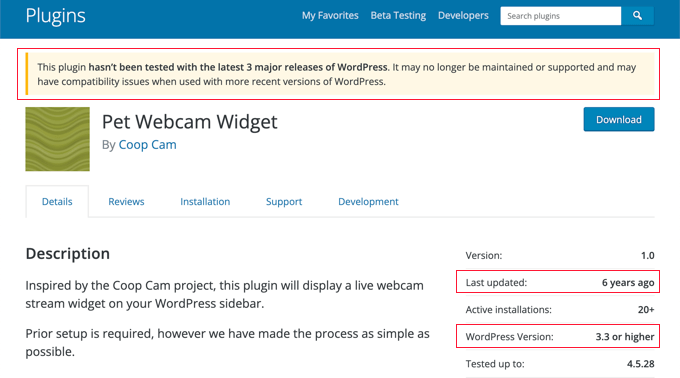
If you search the exact phrase, you may land on “WP Autoblog” by Sascha Huber. Its WordPress.org listing warns that it has not been tested with the latest three major WordPress releases and may no longer be maintained. The name matches your search, but the plugin is stale. Check the “last updated” and “tested up to” lines before you install any importer.
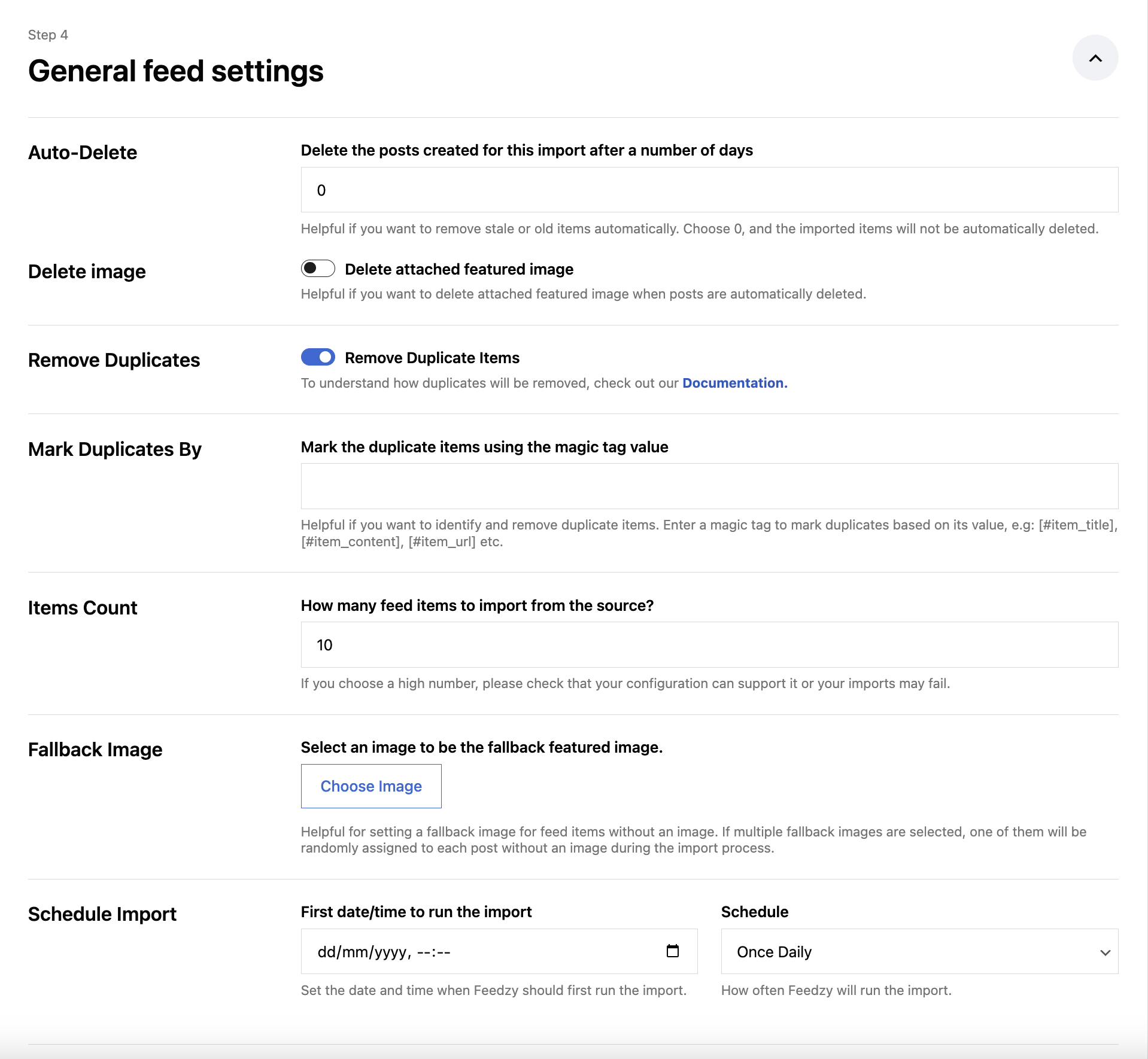
Every feed importer runs roughly the same pipeline. Knowing the steps tells you where to look when posts stop appearing:
Each step can skip items without raising an error. That’s why “it imported nothing” is such a common complaint and so rarely a bug. One more trap sits at step 6. Many feeds carry only a summary, and pulling the full article is usually a paid feature. Feedzy’s documentation, for example, puts full-content extraction in its Developer and Agency plans.
Vendor troubleshooting docs and WordPress.org support threads point to the same rough order. Work down it before you change plugins.
WordPress’s Plugin Handbook explains that WP-Cron runs when a page loads, not as a continuous process. With no visitors, nothing runs. Full-page caching can also serve pages without ever reaching WordPress, and a staging site behind a password sends cron requests nowhere. WP Engine’s support docs add two more limits: cron jobs run one after another, so an earlier job that errors can hold up later ones, and sites behind basic authentication are incompatible with WP-Cron requests.
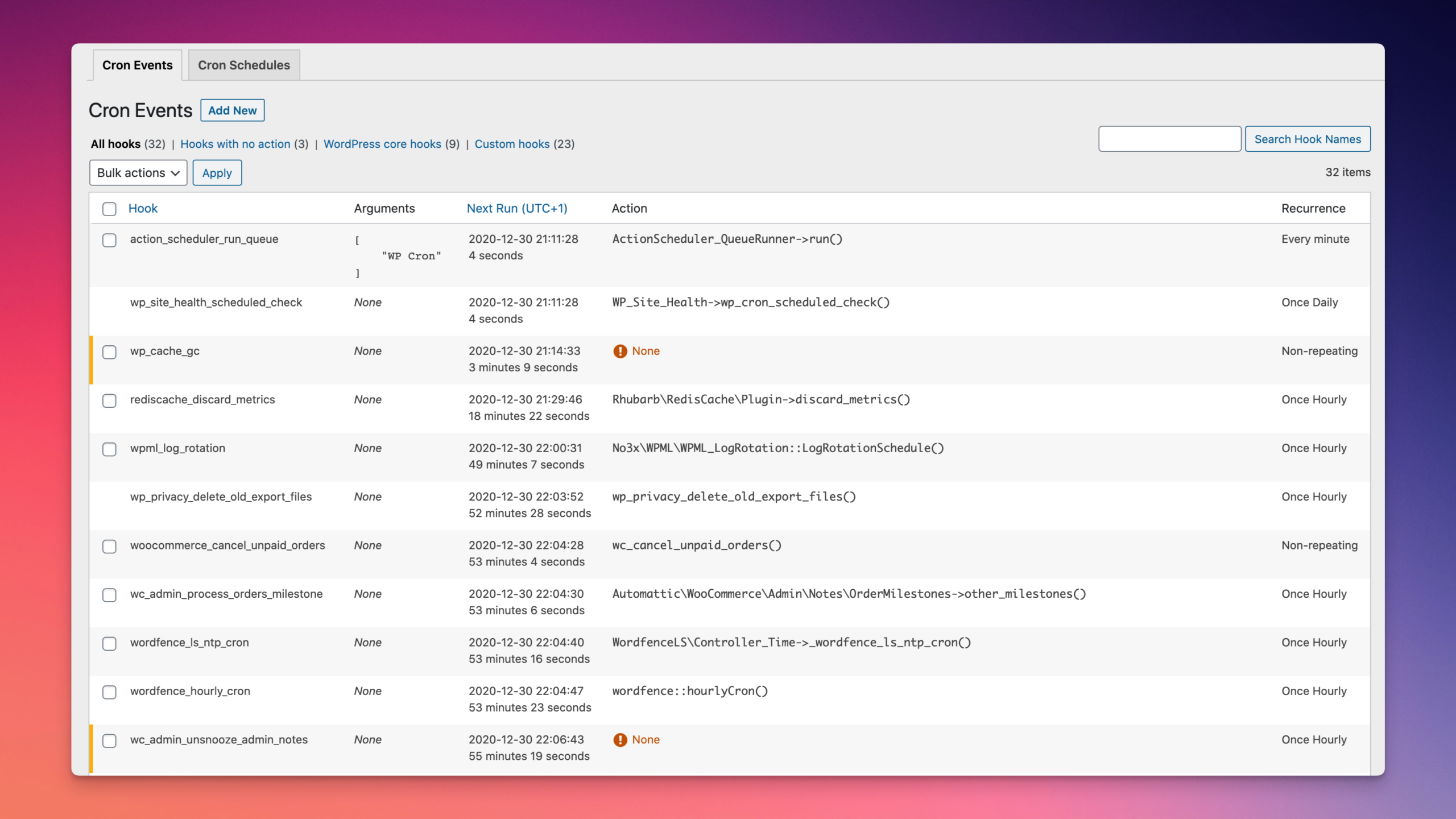
To check, install WP Crontrol and open Tools, then Cron Events. If the plugin’s import event shows a next-run time in the past, cron is the problem. On the command line, wp cron event list shows the same thing.
The fix is a real server cron. Feedzy’s troubleshooting guide suggests one every 5 to 15 minutes for low-traffic or cached sites. First turn off the page-load trigger in wp-config.php:
define( 'DISABLE_WP_CRON', true );Then add a server cron job through your hosting panel or crontab -e. You need hosting access for this:
*/10 * * * * cd /path/to/site && wp cron event run --due-now > /dev/null 2>&1These two lines only work as a pair. If you set DISABLE_WP_CRON without the server job, every scheduled task on the site stops, including scheduled posts and update checks. If you add the server job but leave page-load cron on, the same job can trigger twice. Hosts also set this up differently, so use your host’s documented path rather than one copied from a forum. WPeMatico ships its own wpe-cron.php endpoint if you’d rather point cron straight at it.
A URL that opens in a browser isn’t necessarily a feed. It may send back an HTML page, a redirect, a paywall or a bot challenge. Feedzy’s docs also note that a feed can pass the W3C validator and still fail in SimplePie. Blocked requests show up as 403 or 429 errors, which some sites send to shared hosting IPs that poll too often.
Test each feed URL on its own, add sources one at a time, and poll less often. One bad source can slow the whole run in some importers, so a single broken feed can look like a site-wide failure.
Too many feeds or items per run, full-content fetching and image downloads all add up. The usual messages are cURL error 28 (the HTTP request timed out, often after 10,000 milliseconds) and, in WPeMatico, a campaign stuck on “Running Campaign…”. Split large campaigns into smaller ones, stagger their schedules, and lower the items per run. On shared hosting, this is often the point where a bigger plan becomes the cheaper option.
If a run finds 50 items and imports 10, check the per-run item cap first. Feedzy shows Found, Duplicates and Imported counters and has a Debug log level. WPeMatico logs Found duplicated hash when it skips an item it has seen before. Feedzy’s “Treating this feed of type ‘128’ as an RSS feed” is a notice, not an error.
A related trap: if you delete imported posts without clearing the plugin’s duplicate record, the plugin either re-imports them or keeps skipping them forever, depending on the tool. Fix the identifier first, usually the item’s original GUID or URL, then clean up.
Feeds often have no image tag. Source CDNs block hotlinking with a 403, SVGs may be rejected as an upload type, and some themes never show a featured image. Set a fallback image, or use your importer’s option to reference the external image URL. External images break if the source moves them, and copying them locally raises licensing questions.
Alt text needs the same care. The W3C’s images tutorial says informative images need a text alternative that carries their meaning, and decorative images get an empty alt="". Auto-filling the post title as alt text does neither.
Importers depend on WordPress’s bundled SimplePie and on their own add-ons, so a core, PHP or plugin update can break a working import overnight. Update one layer at a time, keep the plugin and its paid add-ons on matching versions, and test on staging first. If you need a log, turn on WP_DEBUG_LOG and read wp-content/debug.log. Don’t display errors on the live site.
If the posts appear in Posts, All Posts but not in a slider or homepage widget, check that widget’s query and the post’s category. WPeMatico’s FAQ points out that some themes run their own processing only when a post is saved by hand, so posts inserted by a plugin miss it. The importer’s post template is usually the cleaner fix.
Google’s spam policies describe scaled content abuse as producing many unoriginal, low-value pages mainly to manipulate rankings, and they apply it however the pages were made, whether by automation, people or both. Automation alone isn’t the problem. A thousand lightly reworded feed items is.
Google’s canonicalization documentation explains that it groups duplicate and near-duplicate pages and picks one URL to show. When your imported copy competes with the original article, the original usually wins. Synonym swaps and AI rewording don’t change this, because the claims, structure and source are the same. Blocking pages in robots.txt doesn’t set a canonical either, and using noindex to force the choice can drop the page from search entirely.
Practitioners who describe good results from automation almost always describe partial automation: drafts, a human edit, a steady pace of about one post a day, and topics grouped so posts don’t compete with each other. Nobody documents fully hands-off publishing going well over time.
Treat a feed as a way to receive content, not as a license to reuse it. We found no legal source that settles this, and the answer depends on your country. The consistent view among WordPress practitioners is that titles, short excerpts and a clear link back are the lower-risk pattern. Republishing full articles needs the publisher’s permission. Adding a canonical tag or a credit line doesn’t turn copying into permission.
If a source matters to your site, ask the publisher. Many will agree to syndication when your post adds context their readers don’t get elsewhere.
wp cron event list before you blame the importer.If what you really want is posts written, edited and published when you ask, rather than a feed campaign running in the background, SiteSelf does that work through chat on your existing site. It is described on the page about writing and publishing WordPress content. It works on request, so it doesn’t replace a scheduled import.
Yes. WP RSS Aggregator, Feedzy and WPeMatico all have free versions in the WordPress.org directory. The free tiers usually limit the features people actually want, such as full-content extraction, feed-to-post or AI rewriting, so check which tier includes your workflow before building around it.
Use drafts for any new source, new filter rule or AI rewrite step. Auto-publish is reasonable when the feed is yours or you have permission to use it, and its output is predictable, like a product feed or your own second site. Switch over only after a batch of drafts has come through clean.
No source gives a safe number. Some tools advertise thousands of articles a month, but that is capacity, not a sensible pace. The accounts that describe good results kept to about one reviewed post a day and grew from there.
Usually. AI writing, translation and full-text extraction often run on external services with their own keys, quotas and per-request fees on top of the plugin price. Budget for both, and expect model pricing to change.
Buy it from the developer’s own site or the marketplace the developer names, not from a reseller or a “nulled” download. Users on WordPress forums have reported rebranded copies of popular autoblogging plugins that injected ads into posts. Treat everything a plugin imports, including HTML, embeds and image URLs, as content from someone you don’t control.
A few feeds with modest item counts usually can, especially with a real server cron. Timeouts and memory errors appear as you add feeds, full-content fetching and image downloads. When runs regularly stall, splitting campaigns helps before upgrading does, but heavy importing eventually needs more server resources.
Explainers
JPG and JPEG are the same image format. .jpg and .jpeg are two spellings of one extension, and both mean the MIME type image/jpeg. If one spelling uploads and the other doesn’t, the cause is a plugin setting, a validator, a fake file or a server limit. The name at the end of the file is not the problem.
Read article ›Explainers
“Hello bar for WordPress” points at three different things: a hosted campaign service, a WordPress plugin that only carries that service’s script, and the whole category of announcement bar plugins. Picking the wrong one is why so much of the advice you find does not apply. Once the bar is installed, the failures are ordinary WordPress failures, and cache is the first suspect.
Read article ›Explainers
A landing page builder for WordPress is not a separate platform. It is either a plugin that creates ordinary WordPress pages or a set of blocks and patterns inside the editor you already have. The choice you are really making is who owns the markup after launch, and how much weight the page carries.
Read article ›Connect the site you already have, add your agent to Slack or Telegram, and tell it what you need.
Connect your siteStart with 500 free credits. No credit card needed.