Key takeaways
- There are three kinds: dedicated campaign-page plugins (SeedProd, PluginOps), general visual builders (Elementor, Divi, Beaver Builder, Bricks, Breakdance) and block-based tools inside the editor you already have (Site Editor patterns, Kadence Blocks).
- Popularity and page weight run in opposite directions. GravityKit’s April 2026 HTTP Archive reading puts Elementor on 32.67% of WordPress sites, and Gaurav Tiwari’s 2026 speed comparison puts it near the bottom on LCP and HTML size.
- A block theme plus a blank template and pattern library answers most landing page requests: hero, features, FAQ, CTA, no header or footer, no extra plugin.
- Most post-launch failures are process failures: plugin and addon conflicts, theme conflicts, host memory limits, stale cache and per-breakpoint settings that hide the CTA on mobile.
- Before you commit, deactivate the builder on a staging copy and look at what is left. That test tells you the real switching cost.
A landing page builder for WordPress is not a separate platform. It is either a plugin that creates ordinary WordPress pages, or a library of blocks and patterns you assemble inside the editor you already have. Either way, what exists at the end is a normal page in your database, rendered through your theme’s template system.
That distinction sounds pedantic until a campaign page breaks. Most regret in this category comes from the other mental model: someone picks the tool with the biggest template library, builds a promo page on it, and then discovers that the page’s speed, its mobile layout and its editability depend on layers the builder does not own. If you want the build steps, read the guide to building a landing page in WordPress. This piece is about what you are actually choosing between, and what each choice costs you six months later.
The three kinds, and what each one owns
Every product marketed as a landing page builder falls into one of three groups. They differ less in what the editor feels like and more in who owns the markup once you publish.
| Kind | Examples | What it produces | What is left if you turn it off |
|---|---|---|---|
| Dedicated campaign-page plugins | SeedProd, PluginOps Landing Page Builder, LightStart | Standalone campaign, coming soon and maintenance pages that bypass the theme’s normal layout | The page stops rendering as designed. The content is usually still in the database, but not in a form the block editor can lay out. |
| General visual builders | Elementor, Divi, Beaver Builder, Bricks, Breakdance, WPBakery | Any page or template, built from the builder’s own elements and stored in its own format | Builder-specific markup or shortcodes in the editor. Switching builders means rebuilding, not migrating. |
| Block-based tools and pattern libraries | Core Site Editor, Kadence Blocks, GutenKit, Spectra | Ordinary block content in the page, plus a pattern library to start from | Core blocks keep working. Blocks from the plugin show as invalid content until you restore the plugin or convert them. |
The size difference between these groups is larger than the marketing suggests. WordPress.org lists Elementor at 10 million active installs; its own directory listing claims more than 23 million websites. SeedProd, the largest plugin that markets itself specifically as a landing page builder, sits at 600,000 active installs, and its directory slug is still coming-soon. PluginOps ships 120+ templates in its free version and is a fraction of that size again. Kadence Blocks takes the third route entirely: it extends the block editor with custom blocks and design controls rather than replacing the editor.
Popular and fast are not the same list
Elementor is the default answer in this category, and the usage data supports that. GravityKit’s April 2026 reading of HTTP Archive data puts Elementor on 32.67% of WordPress sites, ahead of the WordPress block editor at 20.62%, wpBakery at 8.52% and Divi at 5.72%.
Other studies land on different numbers because they count differently, so each figure belongs with its source. W3Techs reports Elementor on 31.5% of WordPress sites as of October 2026. HTTP Archive’s 2025 Web Almanac says about 60% of WordPress sites use a page builder, and puts Elementor’s share among those builder sites at 43% in 2025. That last figure has a different denominator: it counts only sites that use a builder, not every WordPress site.
The speed data points the other way. Gaurav Tiwari’s 2026 comparison of 15 page builders, which tests for speed, code quality, workflow, pricing and lock-in, records Elementor at 1.5 seconds LCP with 68KB of HTML and Divi at 1.7 seconds with 84KB, against GenerateBlocks at 0.8 seconds with 24KB. Those are different amounts of work for the browser to do before anything useful appears.
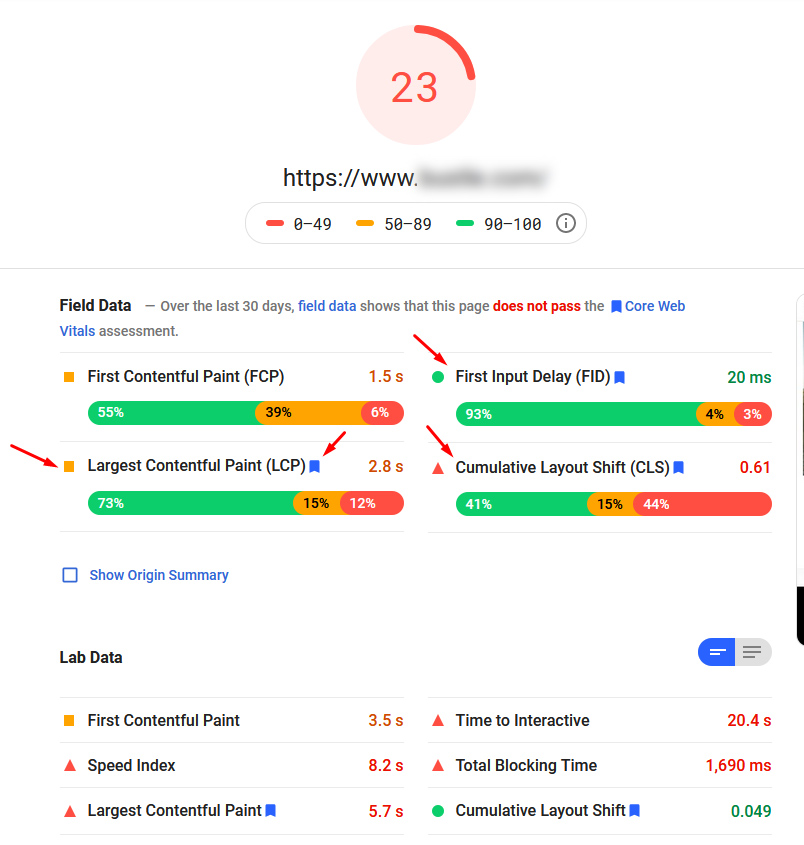
Read that as a loading weight problem rather than an interactivity problem, because that tells you which levers matter. Deeply nested sections, columns and wrappers inflate the DOM. Unoptimised hero images inflate the transfer. Each addon adds another stylesheet and another script. The fixes are image compression and modern formats, caching at the server and the plugin layer, deferring scripts that are not needed for the first screen, and flattening the layout where the builder allows it. That is the same work as speeding up a slow WordPress page anywhere else on the site.
One caveat that the benchmark publishers are honest about: builder choice explains only part of the variance. The same builder can produce a fast page and a slow one depending on hosting, image discipline and plugin count. Test your own finished page on mobile with the real images, forms, consent banner and analytics loaded, not a demo template on a demo host.
You might not need a builder at all
Two of the most common questions people type into Google about this subject are how to create a landing page without a plugin, and how to remove the header and footer from one. Both have the same answer, and it does not involve buying anything.
If a block theme is active, WordPress gives you the Site Editor. WordPress.org’s Site Editor documentation says the Site Editor is only available when a block theme is installed and activated; if Appearance shows an Editor item, you have one. Create a template there with no header and no footer template parts, assign it to your page, then build the page from patterns in the Patterns tab of the block inserter. Hero, feature grid, FAQ, call to action: the pattern libraries shipped with block plugins cover exactly those sections, because that is what people build.
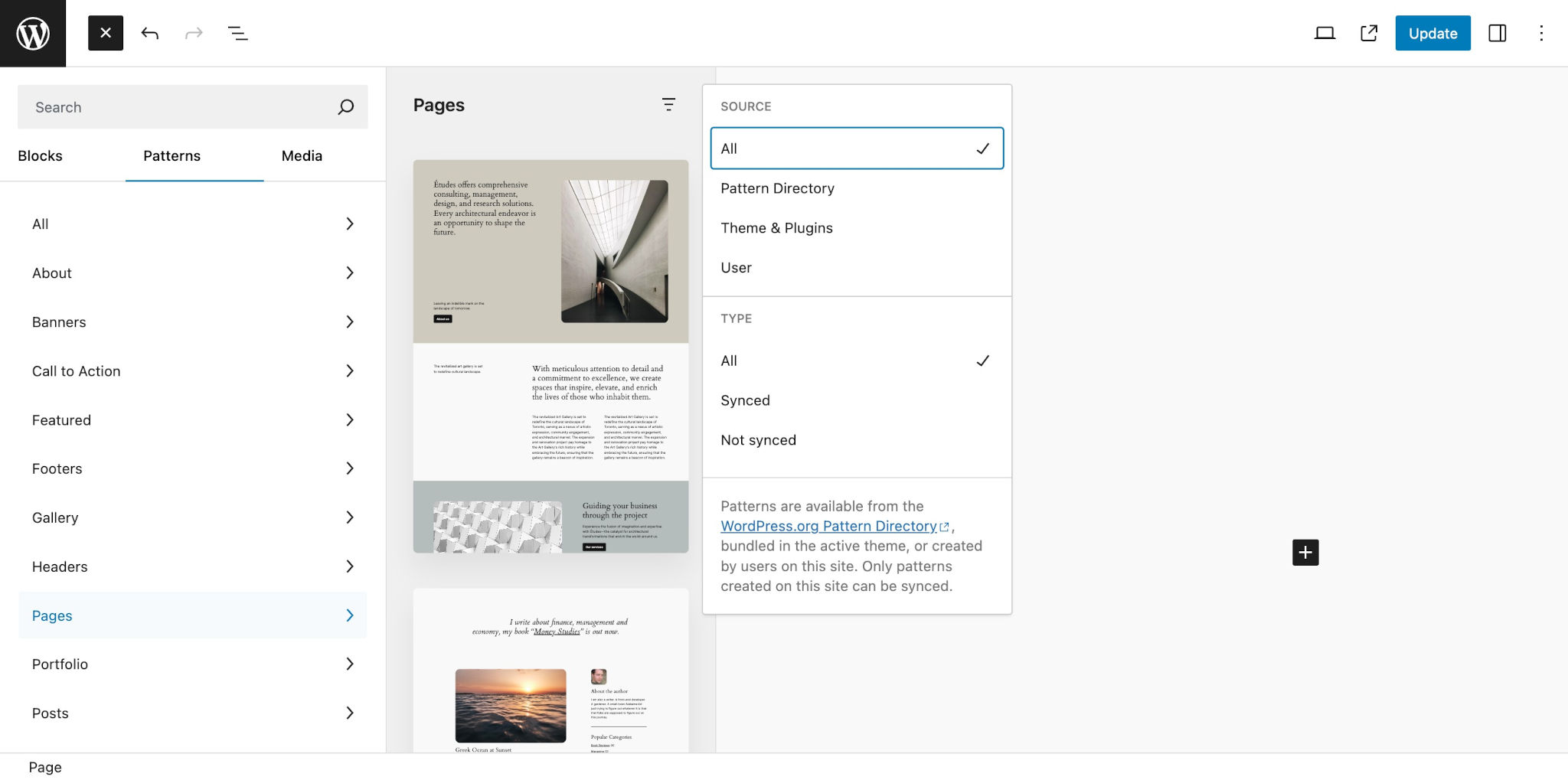
When people say they cannot find the patterns a plugin promised, it is almost always a wrong-screen problem rather than a broken plugin. Patterns live in the inserter’s Patterns tab and in Appearance then Editor then Patterns, not under Posts, and not in the classic editor. Some block plugins also gate a second block behind a companion plugin, so a missing block usually means a missing dependency.
Where the pattern route runs out: popups, multi-step opt-ins, built-in A/B testing and sophisticated form logic. If your campaign needs those, a dedicated conversion plugin or an external tool earns its place. If your campaign needs a page that loads fast, says one thing and has one form on it, patterns do the job with nothing extra to update.
Matched to the situation, the choice usually looks like this:
| Your situation | Sensible route | The tradeoff |
|---|---|---|
| Block theme, one campaign page, a simple form | Site Editor template plus a form block or form plugin | Fewer ready-made marketing widgets |
| Site already built in a page builder | Same builder, blank or Canvas layout | The page stays tied to that builder |
| Non-designer launching many short campaigns from templates | A dedicated campaign-page plugin | Another plugin to update, license and test |
| A/B testing, popups or funnel steps | A plugin or service built for that job | Usually paid, and adds scripts to the page |
What breaks after launch, roughly in the order it breaks
Practitioner reports cluster in a predictable order, and the order is worth knowing because it tells you where to look first instead of blaming the builder.
- Plugin and addon conflicts. The symptom is a 500 error when you open the builder, or the public message “There has been a critical error on this website.” Check the admin inbox for the email titled “Your Site is Experiencing a Technical Issue”, which contains a recovery mode link and usually names the failing plugin. Enable
WP_DEBUGand read/wp-content/debug.logfor a file path and line number. Deactivate the suspect, not everything at once. Our guide to WordPress plugins that are not working covers the isolation process in detail. - Theme conflicts. Blank pages and fatal errors that vanish under a recent default theme such as Twenty Twenty-Five point at the theme, not the builder. Oxygen’s own documentation recommends default-theme testing for this reason.
- Host and PHP limits. Builders post large forms back to the server. Timeouts, database connection errors and 500s often trace to memory limits and
max_input_vars. A 256MB memory limit is the floor people report as restoring normal behaviour in heavy builders. Ask the host to check firewall and ModSecurity rules and send you the server PHP error log. - Stale cache hiding a fix that worked. There are usually four layers: the host, the CDN, the caching plugin and the builder’s own generated CSS. Clear all of them, regenerate the builder’s cache, and retest in a private window before you conclude the fix failed.
- Settings, roles and licence state. No dramatic error here. Features simply do not appear, or editing is restricted, because of role manager permissions, an expired licence or a PHP version the builder no longer supports.
Mobile layouts break because of per-device settings, not the builder
Visual builders expose width, offset and a hide-on-device toggle per breakpoint. Three things go wrong with them. Widths that were never set for the tablet or mobile band squeeze or overflow the content. Offsets copied from desktop create empty gaps or horizontal scroll. And the hide toggle gets used aggressively enough that a section disappears on small screens.
That last one is the expensive mistake. If the hidden section contained the form or the call to action, the mobile page cannot convert at all, and the people who only have a small screen lose information everyone else gets. Check the page on a real phone width with the form visible before you count the campaign as live.
Addons drift out of step with the builder
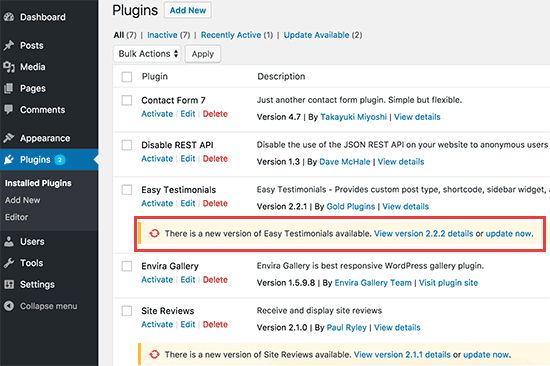
Builder addon changelogs are full of entries like “compatibility with the latest Elementor release” for a reason. When the main builder or WordPress core updates and an addon does not, widgets built on that addon, sliders, modals, feed embeds, stop working on a page that is currently taking traffic. Update addons in step with the builder, read the release notes, and resist the urge to hand-patch a broken layout before you have updated the thing that broke it.
Questions to ask before you commit to one
- Who edits this page in six months? If the answer is a non-technical colleague, structure matters more than widget count. Patterns and reusable templates let someone change words and images without moving the layout.
- What is left if the builder is deactivated? Build one representative page on a staging copy, deactivate the plugin, and look at the result. That is the switching cost, measured rather than guessed.
- How many addons does this design need? Every addon is another update cycle, another compatibility check and another security patch to track.
- How will the page be measured? On mobile, with real images, the form, the consent banner and analytics loaded.
- Who has which access? Content and settings work needs WordPress admin. Asset, caching and code work needs hosting access. Decide that before the campaign date, not during it.
What changes when an agent does the work
The tool choice is usually not the bottleneck. The waiting is. A headline change, a swapped image, a form field that needs removing before Monday’s campaign: small work, wrapped in a process that costs more than the work does.
Example request: “Our spring promo page is slow on phones. The hero image is a 4MB PNG, the page still loads the slider plugin we stopped using, and the FAQ section is hidden on mobile by mistake. Fix those three and tell me what you changed.”
SiteSelf works on the site as it is. For the FAQ visibility and the image swap it uses the SiteSelf Connector plugin from the WordPress.org directory, which covers content and settings work. For the unused slider assets and any caching or template change, it needs hosting access over SSH. Before it changes anything it says what is about to change and whether it can be undone. Afterwards it fetches the changed page and reports in plain language what it did and what it checked. The work is recorded, so you can see later what happened and undo it. This is the same shape as any other design change on an existing WordPress site.
The honest limits matter here more than in most subjects, because this article is about builders. If the promo page is owned by Elementor, Divi or Beaver Builder, the page is refused at the moment of work, with the reason given. Verification is a fetch of the page and a written report, not a screenshot and not a device test, so a layout you care about deserves your own look on a phone. Nothing runs on a schedule and nothing runs unattended: work happens when you ask, through chat or from Telegram. Nothing is written to your analytics, ad platform or CRM. Pricing is credit-based, so a heavier task costs more than a lighter one; the pricing page has the current detail.