Give your WordPress site its first task.
Connect the site you already have, add your agent to Slack or Telegram, and tell it what you need.
Connect your siteStart with 500 free credits. No credit card needed.
JPG and JPEG are the same image format. .jpg and .jpeg are two spellings of one extension, and both mean the MIME type image/jpeg. If one spelling uploads and the other doesn’t, the cause is a plugin setting, a validator, a fake file or a server limit. The name at the end of the file is not the problem.
No. .jpg and .jpeg are two extensions for one format. WordPress core maps jpg|jpeg|jpe to the MIME type image/jpeg. Mozilla’s MDN lists .jpg, .jpeg, .jfif, .pjpeg and .pjp as extensions for that same type. Rename a file from one to the other and the image is unchanged, down to the last byte.
People keep asking because of what they run into. One spelling uploads and the other doesn’t, or a WebP plugin converts some photos and skips others. Real things cause those problems, and none of them is the extension. Most come down to a plugin, a form field or a server setting. The same pattern shows up in our guide to WordPress plugins that are not working.
The quality and size of a JPEG come from the encoded image data. The filename has no part in it. The compression level, the pixel dimensions and the number of times the file has been re-saved all live inside the file. The extension is a label on the outside.
JPEG is lossy. Each time it compresses, it throws away some detail, and editing and re-saving a JPEG again and again makes it worse. WordPress’s own “Image size and quality” documentation describes the trade: JPEG gives up detail for a smaller file, which suits photographs. No benchmark shows a quality, size or speed difference between the same file saved as .jpg and as .jpeg. Nothing about the format would create one.
Renaming is fine between .jpg and .jpeg because both hold the same kind of data. Renaming across formats is where trouble starts. An iPhone HEIC photo, a PNG or a WebP renamed to photo.jpg is still a HEIC, PNG or WebP inside. Now its label is wrong.
WordPress checks what a file actually is, not only what it is called. So a fake JPEG often fails at upload with “Sorry, this file type is not permitted for security reasons.” If one gets through, it can show up blank, or fail later when an optimization plugin tries to compress or resize it. Files half-converted by an online tool or an old export setting fail the same way.
The fix is to open the original in an image editor, export a real JPEG and upload that. Don’t add ALLOW_UNFILTERED_UPLOADS to wp-config.php to force it in. That constant turns off file-type filtering for every upload on the site, and the broken file behind the error is still broken.
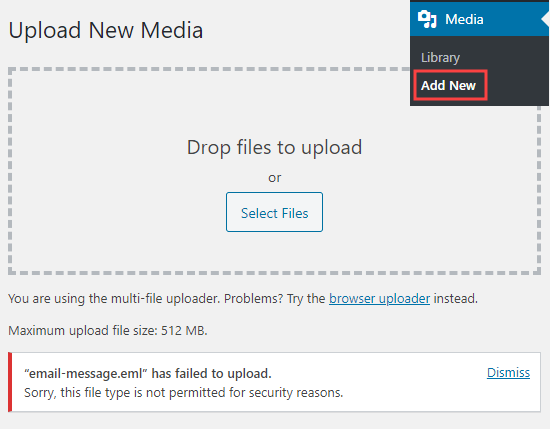
When only one spelling fails, something between you and WordPress core is checking the extension against its own list. Core accepts both. A form plugin, a WooCommerce product upload field, a security plugin or a custom validator may not.
Some WooCommerce extensions have you set allowed file types for each field. The documentation for All In One Files Upload for WooCommerce lists JPEG and JPG as separate options. If someone ticked one and not the other, the field rejects half your customers’ photos. You fix it in the settings, not in the file:
jpg and jpeg.image/jpeg. That one type covers both spellings.Sometimes the cause is a plugin bug. In a 2022 WordPress.org support thread, a user found that the Converter for Media plugin was converting their .jpg files to WebP but skipping .jpeg files that held the same data. The plugin’s author could not reproduce it. The user suggested renaming old .jpeg files to .jpg, and the author strongly advised against it. A later section explains why.
Renaming the one file you are uploading can get you past a badly set up allow-list. It repairs nothing, so fix the setting.
If a small, ordinary JPEG with a simple name also fails, stop thinking about the extension. The error messages are vague (“HTTP error”, “The server cannot process the image”), but the causes follow a familiar order. The order below comes from practitioner reports, not from measured data:
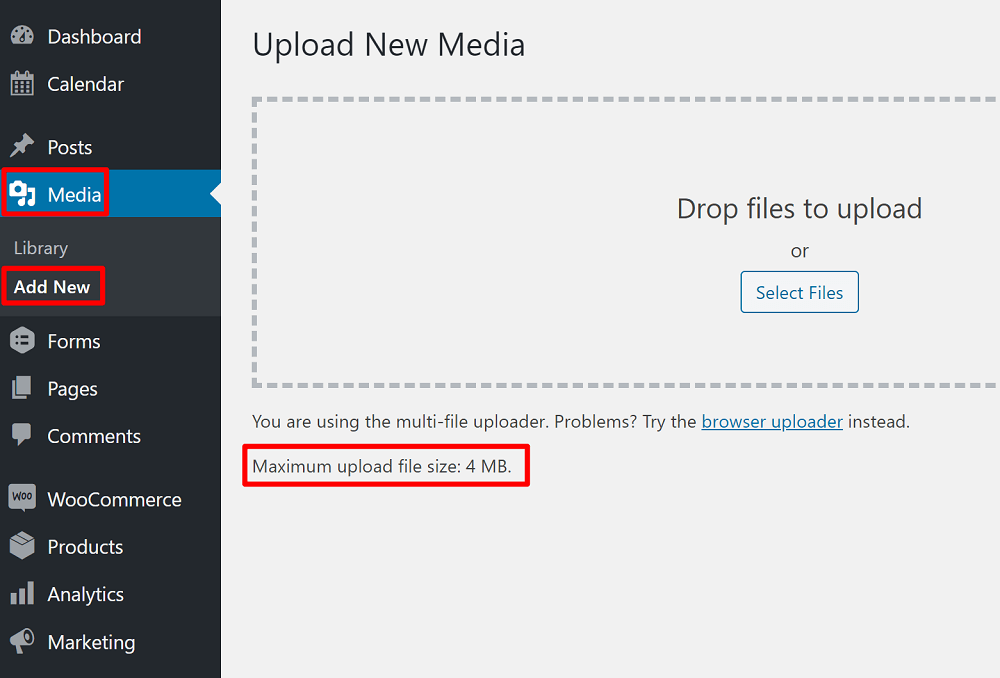
Allowed memory size ... exhausted shows up in debug.log, see the memory fixes in our white screen guide. Raising WordPress’s limit does nothing if the server’s PHP limit is lower.ImagickException: unable to read image data appears in the log, try switching to GD, stripping unusual EXIF metadata or re-exporting the file.upload_max_filesize and post_max_size cap the size of an upload. On Nginx, client_max_body_size rejects large requests with a 413 before PHP ever sees them, so changing PHP alone won’t help. The displayed maximum on Media → Add New shows the PHP side.move_uploaded_file(): Unable to move '/tmp/...' usually follows a migration. Directories should be 755 and files 644. 777 is never the fix.One more: WordPress.com’s support docs note that “Unexpected response from the server” often means the upload worked anyway. Check Media → Library before you upload again, or you’ll end up with duplicates.
If you’d rather not work through that list yourself, SiteSelf can track down the upload failure on your live site and report what it found and changed. Server limits, logs and file permissions need hosting (SSH) access, not just the connector plugin.
No. Renaming is safe for the image and risky for the site. /photo.jpg and /photo.jpeg are different URLs. Posts with hardcoded image links, CDN caches, download links, product imports and other sites linking to your images all point at the old one. Linux servers also treat file paths as case-sensitive, so .JPG and .jpg can be two different files there.
A mixed library looks messy but costs nothing. Pick one convention for new uploads, usually lowercase .jpg, and leave old files alone. If you really must rename something, update every reference to it and redirect the old URL.
Choosing between the two spellings changes nothing. These choices do:
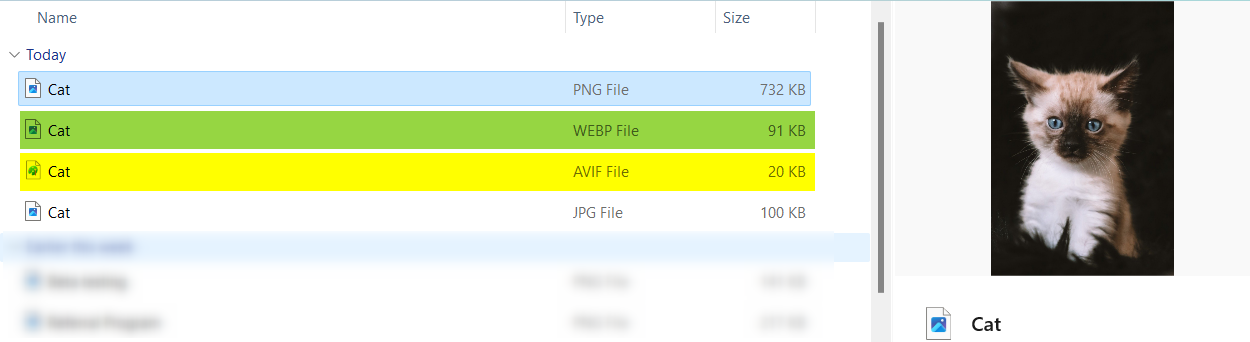
Modern formats explain why a site can show .jpg, .jpeg, .webp and .avif files side by side. Those are copies made for delivery. They don’t mean the two JPEG spellings behave differently. One practical exception: WooCommerce’s mobile app does not support WebP, and its docs recommend exporting product images as .jpg or .png.
There is nothing to convert. If the file is a real JPEG, it is already both. Renaming it changes the label and the URL, not the image. You only need a real conversion when the file is actually another format, such as HEIC, PNG or WebP.
No. JPEG 2000 is a separate standard with its own extensions, such as .jp2. It is not what a camera or phone produces when it saves a .jpg, and WordPress does not treat it as an ordinary JPEG.
No. Renaming leaves the image data alone. Quality drops when a JPEG is re-encoded, for example when you edit it and save it again or run it through a compressor at a lower quality setting.
It can, and the problem is the URL, not the image. On a case-sensitive server, photo.JPG and photo.jpg are different paths, so a link typed in lowercase can break. Stick to lowercase filenames for new uploads.
You can, but most practitioners advise against it. Uploading JPEGs and letting a plugin create WebP or AVIF copies keeps a fallback for tools that don’t handle the newer formats, and lets you regenerate everything later. Test the fallbacks before you delete any originals.
Explainers
“Hello bar for WordPress” points at three different things: a hosted campaign service, a WordPress plugin that only carries that service’s script, and the whole category of announcement bar plugins. Picking the wrong one is why so much of the advice you find does not apply. Once the bar is installed, the failures are ordinary WordPress failures, and cache is the first suspect.
Read article ›Explainers
A landing page builder for WordPress is not a separate platform. It is either a plugin that creates ordinary WordPress pages or a set of blocks and patterns inside the editor you already have. The choice you are really making is who owns the markup after launch, and how much weight the page carries.
Read article ›Explainers
WordPress already plays audio without a plugin, so the useful question is what a music player plugin adds on top and what it costs you afterwards. The answer is playlists inside page builders, product previews, podcast feeds and radio streams, paid for in JavaScript, file-path fragility and a security record that only updating fixes. Patchstack lists 16 patched vulnerabilities for the most installed player in the category.
Read article ›Connect the site you already have, add your agent to Slack or Telegram, and tell it what you need.
Connect your siteStart with 500 free credits. No credit card needed.